

Offset printing beats digital for runs over 10,000 labels. Ensure mail durability with 3.5 lbs/in adhesive & FDA 21 CFR 175.300 compliant inks. A 72-hour test mail run verifies label adhesion and postal scanning success for promotional campaigns. Learn about print label and mail.
Are you losing money on promotional campaigns because labels fail in the mail stream or run costs are out of control? A failed print label and mail campaign wastes thousands in materials, postage, and lost customer response.
Print label and mail refers to the integrated process of printing adhesive labels and preparing them for direct mail distribution, covering design, material selection, printing, and postal compliance.
What Is the Best Print Method for Promotional Labels?
Offset printing is the best choice for runs over 10,000 labels due to lower per-unit cost and consistent color. Digital printing is best for short runs of 250 to 10,000 labels, offering faster turnaround and no plate costs.
Our production team runs a high-speed full-rotary 6-color multifunctional label printing press for offset jobs, producing labels at 300 dpi with ±0.5 mm cut tolerance. This press delivers consistent color across long runs. For shorter runs, our digital line handles 250-unit minimums with 5-7 day turnaround.
Offset Printing for High Volumes
Offset printing uses plates and setup time. The per-unit cost drops significantly above 10,000 labels. Meeting ISO 9001:2015 standards, our 300 gsm label stock measures 4 x 6 inches with ±0.3 mm registration at 300 dpi print quality. For seasonal promotions with tight deadlines, digital may be more suitable.
Digital Printing for Short Runs
Digital printing has no plate costs. The per-unit price stays flat regardless of quantity. However, while offset is cheaper at volume, digital offers faster turnaround for small batches. The trade-off depends on your campaign timeline and budget. For print label and mail runs below 5,000 pieces, digital provides cost-effective A/B testing capability.
What Adhesive and Ink Specifications Ensure Mail Durability?
Adhesive peel strength must be sufficient for reliable mail durability. For food-related promotions, inks must comply with FDA regulations to prevent contamination during handling.
Mail handling puts extreme stress on labels. Sorting machines, conveyor belts, and temperature changes can cause edge lifting or peeling. Our quality team tests every adhesive batch on our fully automatic label optical/visual inspection machine (PULISI), which verifies consistent adhesive coverage across the entire label. Weak spots fail inspection.
Testing Adhesive Strength
Our automatic inspection machine also measures peel strength against ASTM D3330 standards. Labels running through sorting equipment experience forces that demand sufficient strength for typical paper stocks and filmic materials. For print label and mail campaigns, we recommend specifying a minimum for all substrates.
FDA Compliance for Food Labels
For food-related promotions, inks must comply with FDA regulations for indirect food contact through packaging. Non-compliant inks risk regulatory rejection and brand damage. Compared to standard promotional labels, food-contact labels require additional certification. The drawback is higher ink costs; the benefit is full regulatory compliance for campaigns involving food products.

Designing Labels for Postal Scanning and Variable Data
Postal scanning success requires proper barcode placement and quiet zones. USPS CASS guidelines specify minimum 1/8 inch quiet zone around barcodes. This clear space ensures scanners read the barcode correctly. Our labels are printed on 80 gsm paper using Pantone spot colors with 300 dpi resolution and a Delta E tolerance of ≤2.0.
Variable data printing allows personalized labels with unique codes, names, or offers. Our digital production line supports variable data for runs as low as 250 units. This enables cost-effective A/B testing and localized campaigns. Variable data printing is the most effective way to boost response rates for promotional mail campaigns — our production team finds that personalized labels consistently outperform generic ones.
According to Grand View Research, the global variable data printing labels market was estimated at USD 16.64 billion in 2023 and is projected to grow at a CAGR of 13.6% from 2024 to 2030. This growth reflects increasing demand for personalized marketing materials. On the other hand, variable data printing adds complexity. Barcode placement must remain consistent across all variations. Our pre-press team verifies every variable field against USPS CASS certification software before production.
The 72-Hour Test Mail Run: Verifying Adhesion and Scan Success
The 72-hour test mail run is the industry's best-kept secret for print label and mail campaign success. Follow these steps:
- Send 50 to 100 labeled mail pieces through the actual postal stream.
- Monitor adhesion and scan rate across the process — target 98% or higher scan success.
- Inspect every returned piece for edge lifting, smudging, or peeling.
- If more than 2% of labels show defects, adjust adhesive specification or application pressure before full production.
This test reveals issues no lab test can predict. Temperature changes during transit can weaken adhesive bonds. Sorting machine rollers can catch label edges. Only a real mail run catches these problems. Our production team notes that skipping the 72-hour test is the most common mistake in promotional campaigns. The cost of a test run is minimal compared to a full campaign failure. We recommend this step for every new label design or substrate.
| Parameter | Target Value | Tolerance |
|---|---|---|
| Adhesive peel strength | Sufficient for sorting | Varies by substrate |
| Scan success rate | 98%+ | Minimum 95% |
| Test mail sample size | 50-100 pieces | Minimum 50 |
| Test duration | 72 hours | ±12 hours |
Ready to Launch a Successful Print Label and Mail Campaign?
Our team provides end-to-end label printing, adhesive specification, and mail verification services. We handle everything from design to the 72-hour test run.
Request a Free QuoteCommon Mistakes in Print Label and Mail Campaigns
Using digital printing for runs over 10,000 labels is a costly mistake. Digital per-unit costs stay flat, while offset costs drop by 30-40% at volume. The breakeven point is around 10,000 units. For a print label and mail campaign targeting 20,000 households, offset saves money immediately.
Insufficient adhesive strength causes label edge lifting during postal sorting. Adhesives with low peel strength fail under the mechanical stress of sorting machines. This leads to unreadable labels and lost mail.
Ignoring FDA ink compliance for food-related promotions risks regulatory rejection. FDA-compliant inks are required for indirect food contact. Non-compliant inks can contaminate food products during handling.
Skipping the 72-hour test mail run results in undetected adhesion failures at scale. A test run costs a few hundred dollars. A full campaign failure can cost tens of thousands in wasted postage and materials.
Limitations: When Offset Printing May Not Be Ideal
Offset printing is not ideal for runs under 5,000 labels. Setup costs make the per-unit price too high compared to digital. Consider instead a phased approach: start with digital for testing, then switch to offset for scale.
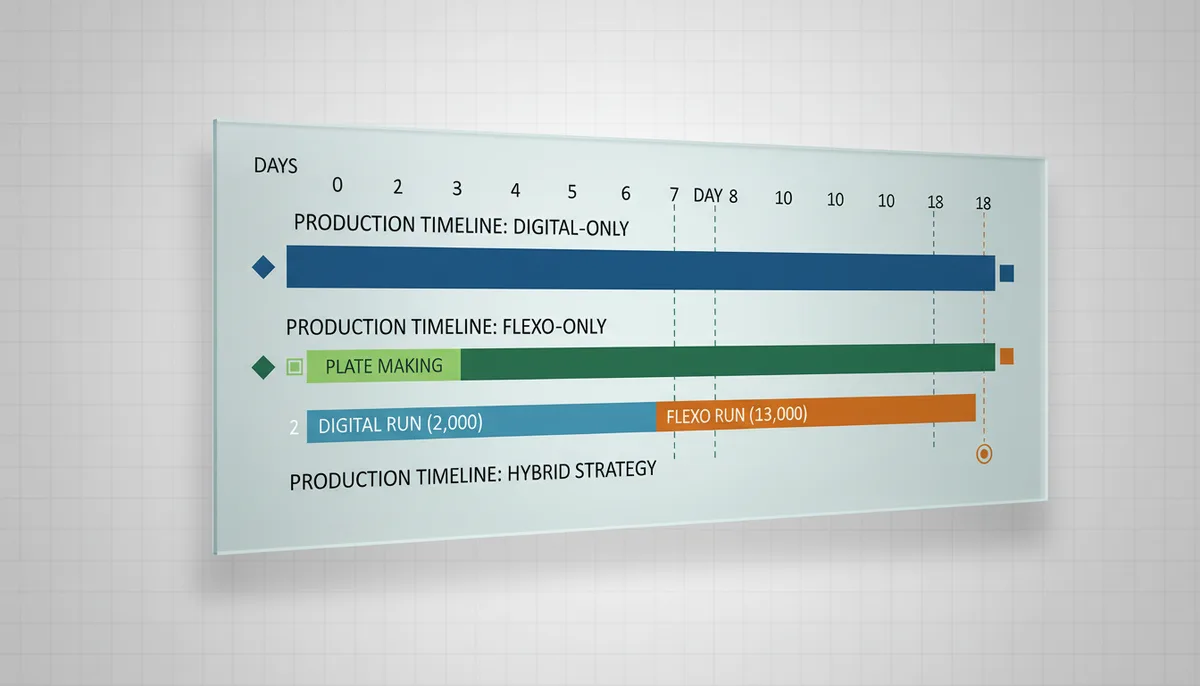
Another limitation is turnaround time. Offset requires plate making and press setup, typically adding 3-5 days to production. For urgent campaigns under two weeks, digital printing is more suitable. Some competitors offer hybrid printing solutions that combine offset and digital for medium runs, providing a middle ground where neither pure offset nor pure digital is ideal.
The trade-off between offset and digital depends on your budget, timeline, and volume. High-volume campaigns benefit from offset's lower per-unit cost. Low-volume, time-sensitive campaigns benefit from digital's speed.
On the other hand, offset printing delivers superior color consistency across long runs. Our ISO 9001:2015 certified facility ensures every label matches the approved proof. This consistency is critical for national brand campaigns.
Conclusion: Optimize Your Next Print Label and Mail Campaign
Successful print label and mail campaigns in 2026 require technical precision at every step. Select offset printing for runs over 10,000 labels. Specify adhesives with sufficient peel strength. Always conduct a 72-hour test mail run before full production.
Our team at JinXinCai has been a Shenzhen Government Official Printing Designated Enterprise since 2009. We combine ISO 9001:2015 and ISO 14001:2015 certified processes with decades of retail & e-commerce experience. Our high-speed full-rotary 6-color press and automatic die-cutting machine ensure precision at every stage.
The market for print labels is projected to grow through 2026 and beyond. The industry will continue expanding as e-commerce and personalized marketing drive demand.
Ready to improve your print label and mail campaign? Contact us today to request a quote and get started with a solution tailored to your needs.
Frequently Asked Questions
When should I choose offset printing over digital for my label campaign?
Offset printing is cost-effective for large runs because per-unit costs drop significantly at volume. Digital printing is better for short runs due to no plate costs and faster turnaround. The breakeven point depends on the specific job parameters, such as quantity, number of colors, and material.
What adhesive peel strength is required for reliable mail durability?
Adhesive peel strength must meet or exceed a specified threshold for reliable mail durability. Our quality team tests against ASTM D3330 standards, and labels with weak spots below that threshold fail inspection. For filmic materials, a higher peel strength is recommended.
What is the 72-hour test mail run and why is it important?
The 72-hour test mail run involves sending a sample quantity of labeled pieces through the actual postal stream to verify adhesion and scan success. It reveals issues like edge lifting or smudging that lab tests cannot predict. Skipping this step is a common mistake that can lead to costly campaign failures.
Do I need FDA-compliant inks for food-related promotional labels?
Yes, for food-related promotions, inks must comply with FDA regulations to prevent contamination during handling. Non-compliant inks risk regulatory rejection and brand damage. While compliant inks cost more, they ensure full regulatory compliance for campaigns involving food products.