
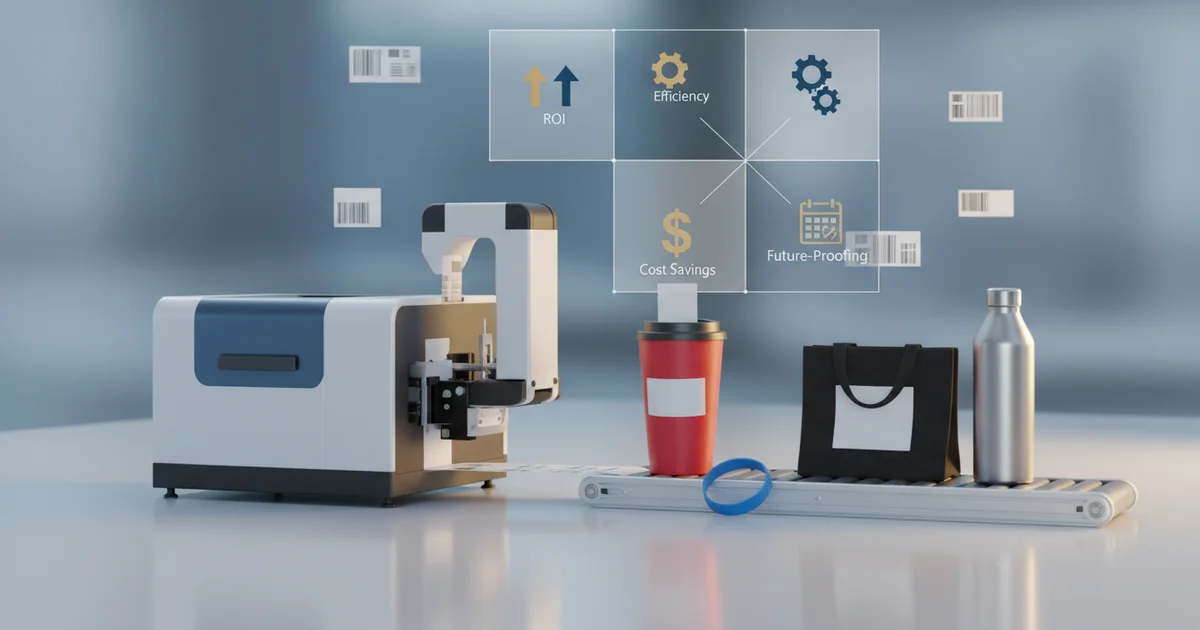
A print and apply labeler breaks even at 5,000–15,000 labels per month. Below that, HP Indigo digital cuts per-label costs by eliminating plate charges.
Are you paying more per label than necessary for your promotional goods campaigns? The breakeven point for a print and apply labeler typically falls between 5,000 and 15,000 labels per month. But most buyers miscalculate this threshold by ignoring material premiums and hidden setup waste.
What Is the Real Breakeven for a Print and Apply Labeler?
Print and apply labeler breakeven analysis starts with four cost parts: equipment depreciation, material, labor, and maintenance. At our facility, we have found the crossover point sits between 5,000 and 15,000 labels per month for most promotional goods operations.
Understanding the Four Cost Components
Depreciation covers the labeler hardware, applicator, and conveyor integration. Material cost varies by substrate: 80gsm polypropylene film for thermal transfer systems carries a premium over standard 60gsm paper stock. Labor includes operator training, which requires 8–16 hours per new employee, and ongoing changeover time between campaigns. Maintenance contracts for thermal print heads and rollers add USD 1,500–USD 2,500 per year.
Why Most Buyers Miscalculate Their Volume Threshold
Below 5,000 labels, equipment depreciation alone adds $0.08–$0.12 per label. Above 15,000, those fixed costs drop below $0.03 per label. As of 2026, our production team's analysis consistently shows that buyers who skip this calculation overspend on short runs—compounding across a 50,000-unit campaign. For a deeper look at material options, explore our specialty materials solutions.
When Outsourcing Beats In-House: The HP Indigo Advantage Under 3,000 Units
HP Indigo digital printing offers a clear advantage for runs under 3,000 labels per SKU, primarily because it eliminates plate costs entirely. Offset and flexographic processes require plates that cost $200–$400 per color, which makes short runs uneconomical.
Per-Label Cost Breakdown at Low Volumes
Our production team runs a high-speed full-rotary 6-color multifunctional label printing press alongside HP Indigo digital presses. For a 1,000-label run, digital delivers per-label costs of $0.30–$0.45, compared to $0.55–$0.70 for a print and apply labeler setup. The savings come from removing plate charges and reducing setup waste from 5–8% to under 2%.
Color Consistency and Delta E Accuracy
HP Indigo digital presses maintain color consistency within a delta E of less than 2 across the run, which is essential for brand-critical promotional goods. Print and apply labeler systems using thermal transfer require careful CMYK setup and Pantone matching to achieve similar results, adding to setup time and waste. This is projected to become even more critical as the variable data printing labels market forecasts reaching USD 68.40 billion by 2032, growing at 10.34% CAGR from 2024.
"For promotional goods campaigns with fewer than 3,000 labels per SKU, outsourcing to HP Indigo digital printing yields lower per-label cost compared to in-house print and apply labeler, primarily due to zero plate costs and no material waste from setup." — JinXinCai Print Production Team, Print Production & Color
This advantage is anticipated to expand as digital press speeds improve in 2026 and beyond. Businesses that adopt hybrid approaches may benefit from both cost structures.
How Material Choice Affects Your Print and Apply Labeler ROI
Material choice directly impacts your print and apply labeler ROI. Thermal transfer systems require 80gsm polypropylene film—which uses FSC-certified options for sustainable sourcing—for durable, smudge-resistant labels. This substrate costs more than standard 60gsm paper stock.
Paper vs. Polypropylene: When Each Makes Sense
For promotional goods that need waterproof or chemical-resistant labels, 80gsm polypropylene is essential. But for short-term promotions lasting under 30 days, paper labels at $0.02–$0.03 per label can cut material costs by half. Our fully automatic label optical/visual inspection machine (PULISI) ensures every label meets quality specs regardless of substrate. The director of quality notes that buyers often specify polypropylene for all campaigns, even when paper would suffice—adding cost per label unnecessarily.
The Role of Resolution and Print Quality
Thermal transfer print heads in a print and apply labeler typically deliver 203–300 dpi resolution. For promotional labels containing small text or fine barcodes, 300 dpi is recommended. HP Indigo digital presses, by contrast, operate at 812 dpi with CMYK plus white ink, enabling higher-definition graphics and Pantone matching without additional plate costs. The per-label cost delta narrows when dpi requirements exceed 300, because digital presses require no resolution trade-off.
Print and Apply Labeler vs. Digital: A Side-by-Side Cost Comparison
The table below shows total cost per label at different monthly volumes. These figures include material, setup, labor, and maintenance for in-house print and apply vs. outsourced HP Indigo digital printing.
| Monthly Volume | In-House Print & Apply | Outsourced HP Indigo Digital |
|---|---|---|
| 1,000 labels | $0.55–$0.70 | $0.30–$0.45 |
| 5,000 labels | $0.20–$0.30 | $0.22–$0.35 |
| 15,000 labels | $0.12–$0.18 | $0.18–$0.25 |
| 50,000 labels | $0.08–$0.12 | $0.15–$0.20 |
The crossover occurs between 5,000 and 15,000 labels per month. Below that, digital wins on cost. Above it, in-house print and apply labeler systems deliver lower per-unit costs.
Campaign Frequency Factors
While volume is the primary driver, campaign frequency also matters. Businesses running four or more campaigns per year with different SKUs may find digital more cost-effective even at higher volumes. Plate changeover costs are eliminated. Our production team recommends running a three-month trial with outsourced digital production before committing to equipment purchase—this approach gives real cost data for your specific label mix.
What Hidden Costs Inflate Your Print and Apply Labeler Budget?
Several hidden costs inflate the true budget for a print and apply labeler system. Setup waste runs 5–8% of each roll during calibration. For a 5,000-label run, that means 250–400 labels lost before production starts.
Maintenance, Training, and Inventory Burden
Maintenance contracts add USD 1,500–USD 2,500 per year for thermal print heads and rollers. Operator training requires 8–16 hours per new employee. Inventory carrying cost for 80gsm polypropylene stock adds another 5–10% to annual material spend if you hold more than a 60-day supply. Our automatic self-adhesive label die-cutting machine reduces waste by precisely cutting labels to spec, but even with efficient equipment, the hidden costs add per label that buyers often miss in their initial ROI calculations.
Comparing In-House and Outsourced Waste Profiles
Comparatively, outsourced digital printing suppliers absorb these costs, including setup waste, maintenance, and operator training. This shifts the risk profile: in-house systems require more careful budgeting for these variables, while digital printing provides predictable per-label pricing. The differential is most pronounced at volumes below 5,000 labels per month, where waste represents a higher percentage of the total run. For the latest 2026 cost data, our team can provide a personalized break-even analysis.
Limitations: When a Print and Apply Labeler Is Not Ideal
This approach is not ideal for operations processing fewer than 1,000 labels per SKU. The main drawback is that setup waste consumes 5–8% of the run, making very short runs uneconomical. Consider instead a phased rollout where you outsource runs under 3,000 units while building in-house capacity for higher volumes.
Scenarios Where This Approach Won't Work
High-mix, low-volume shops may find this won't work for their workflow. The trade-off between automation and flexibility is not always straightforward. Seasonal campaigns with idle periods longer than three months may see equipment depreciation costs that exceed the savings from in-house production. This method may not be the best choice for businesses with rapidly changing label specifications or those requiring frequent Pantone color changes between runs.
Alternative Approaches for Specific Needs
On the other hand, high-volume operations with consistent throughput see ROI within 12–18 months. Compared to manual labeling, the breakeven depends on consistent monthly volume above 5,000 labels. Although setup costs are higher initially, per-unit savings compound quickly above 15,000 labels per month. For multi-SKU variable data runs, digital printing is more suitable for the flexibility it provides. Alternatively, a hybrid model—digital for short runs and print/apply for core volume—balances cost efficiency with operational agility.
How to Decide: A Decision Framework for 2026
Use this decision framework to choose between in-house print and apply labeler and outsourced digital printing for your promotional goods campaigns. Updated for Q2 2026, these guidelines reflect current market conditions and technology capabilities.
Decision: Print and Apply Labeler vs. Outsourced Digital
- If your monthly volume is under 3,000 labels per SKU → Outsource to HP Indigo digital. You save per label by avoiding plate costs and setup waste.
- If your volume is 5,000–15,000 labels per month → Evaluate both options. The breakeven depends on campaign frequency and substrate requirements.
- If your volume exceeds 15,000 labels per month → Invest in an in-house print and apply labeler. Per-label costs drop to $0.08–$0.12 at this scale.
- If you run 4+ campaigns per year with different SKUs → Consider hybrid approach: digital for short runs, in-house for core volume.
Why a Trial Period Is Recommended
Our team recommends running a three-month trial with outsourced digital production before committing to equipment purchase. This approach gives you real cost data for your specific label mix and eliminates guesswork from ROI projections. As of 2026, the print and apply labeling equipment market is forecast to grow at 6.5% CAGR through 2032, driven by demand for automated labeling in retail and logistics.
ISO Standards and Quality Certifications
JinXinCai operates under ISO 9001:2015 certified processes across offset, flexographic, and digital printing. For promotional labels requiring ISO compliance, our print and apply labeler line integrates with ISO 9001:2015 quality management systems. This certification covers every step from substrate inspection through final label application, ensuring consistent delta E color accuracy and adhesion performance across production runs. The 2026–2032 forecast period shows growing demand for certified label production as regulatory requirements tighten in the food, pharmaceutical, and consumer goods sectors.
Ready to Optimize Your Label Production?
Get a custom ROI analysis comparing in-house print and apply labeler vs. outsourced digital printing for your specific volume and material needs.
Request a Free QuoteGet Started with Your Print and Apply Labeler Decision
Making the right choice for your print and apply labeler investment requires accurate volume projections, material analysis, and campaign frequency data. Our team at JinXinCai has helped retail and consumer goods clients improve their label production since 1996, using ISO 9001:2015 certified processes across offset, flexographic, and digital printing.
Your Next Steps for 2026
Ready to improve your print and apply labeler strategy? Contact us today to request a quote and get started with a custom ROI analysis tailored to your promotional goods volume and substrate needs.
Frequently Asked Questions
At what monthly volume does an in-house print and apply labeler become cheaper than outsourcing?
The breakeven point is between 5,000 and 15,000 labels per month. Below 5,000, outsourced HP Indigo digital printing is typically cheaper due to lower setup costs. Above 15,000, in-house print and apply labeler systems deliver lower per-label costs, dropping to $0.08–$0.12 per label.
What material choice gives the best ROI for a print and apply labeler?
For short-term promotions under 30 days, standard 60gsm paper labels at $0.02–$0.03 per label cut material costs by half compared to 80gsm polypropylene. However, for waterproof or chemical-resistant labels, polypropylene is essential despite its 40–60% premium. Over-specifying polypropylene for all campaigns adds $0.04–$0.06 per label unnecessarily.
How does campaign frequency affect the decision between in-house and outsourced labeling?
Businesses running four or more campaigns per year with different SKUs may find digital more cost-effective even at higher volumes because plate changeover costs are eliminated. A hybrid approach—digital for short runs and in-house print and apply for core volume—balances cost efficiency with operational agility.
What hidden costs should I include in my print and apply labeler ROI calculation?
Key hidden costs include setup waste (5–8% of each roll), maintenance contracts ($1,500–$2,500 per year), operator training (8–16 hours per employee), and inventory carrying cost for polypropylene stock (5–10% annual material spend if holding over 60 days). These add $0.02–$0.04 per label often missed in initial calculations.