
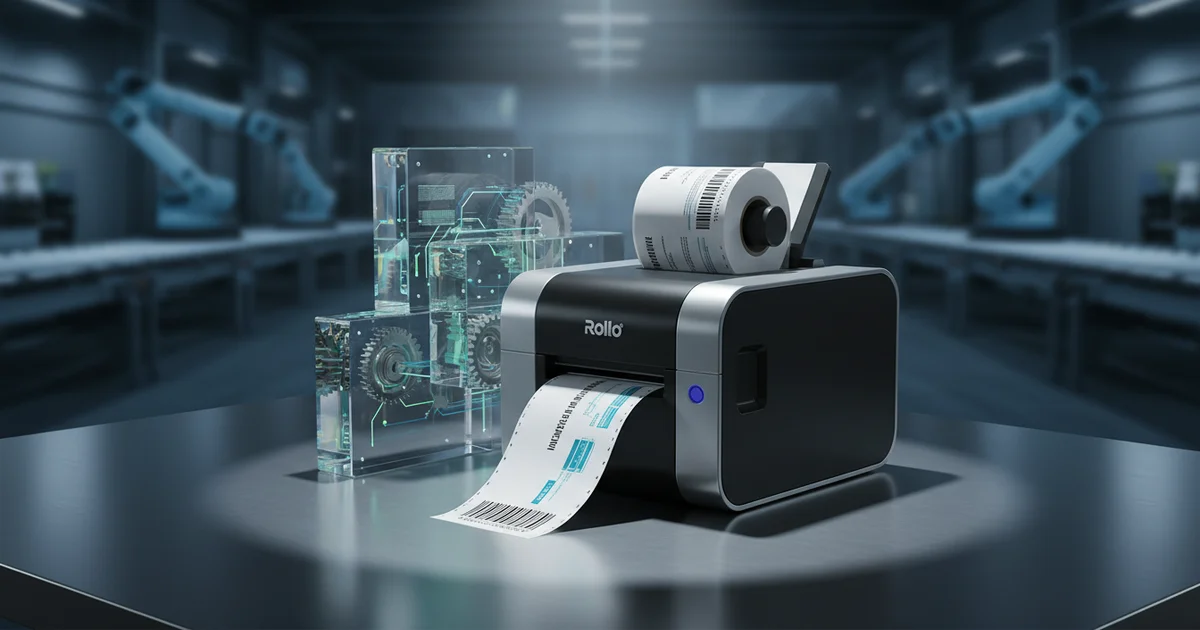
Integrate your Rollo shipping label printer with pre-printed labels to cut costs 40% for runs over 5,000 units. Use direct thermal synthetic PET labels for 3-5 year durability vs. paper's 6-12 month fade. Ensure barcode compliance with 203 DPI native resolution.
You bought a Rollo shipping label printer to cut costs, but are you inadvertently creating compliance gaps and material waste by treating it as a standalone tool? The real value lies in integrating this thermal workhorse into a broader, professional labeling supply chain. This guide provides the manufacturing partner's perspective on making that integration seamless, cost-effective, and compliant for 2026 and beyond.
Is a Rollo Shipping Label Printer Just for Shipping? The Hidden Business Workflow
No. A Rollo thermal label printer is a versatile thermal print engine for any on-demand labeling need requiring variable data, from shipping addresses to inventory barcodes. Its limitation is the label material itself, which must be sourced and specified correctly for the application.
The common mistake is viewing the printer in isolation. For rollo shipping label printer applications, this is especially relevant. In our experience working with e-commerce clients, the Rollo thermal label printer becomes a strategic asset when integrated into a three-part workflow: 1) professional-grade, pre-printed labels for static branding/compliance text, 2) the Rollo for imprinting variable data (addresses, dates, serial numbers), and 3) a validated material supply chain. This turns a cost-center into a streamlined production node.
For example, a client shipping black label supplements used our offset presses to pre-print the complex "Supplement Facts" panel and branding in permanent ink on durable white polypropylene. For rollo shipping label printer applications, this is especially relevant. They then used their Rollo to print only the variable batch number and expiration date onto a designated blank area. This hybrid approach ensured regulatory compliance and brand consistency while leveraging the Rollo's speed for the changing data. This is a core part of our retail & e-commerce solutions.
How to Print a Label for Shipping Without Wasting Material or Time
To print a label for shipping efficiently, you need a integrated digital workflow: design in a carrier-compliant template, select the correct direct thermal material, and use integrated shipping software (like ShipStation) to auto-populate and print. The key is eliminating manual data entry and material mismatches.
Most time waste occurs before printing. For rollo shipping label printer applications, this is especially relevant. A fragmented process — copying addresses, adjusting templates, handling misaligned labels — kills productivity. Here’s the optimized procedure we recommend to clients:
How to Print a Shipping Label: 5-Step Integrated Workflow
- Step 1: Source Compliant Labels. Purchase 4x6" direct thermal labels rated for your carrier (UPS, USPS, FedEx). Verify the core size (1.5" or 3") matches your Rollo's holder. Using the wrong core causes jams.
- Step 2: Integrate Your Sales Platform. Connect your e-commerce platform (Shopify, eBay) directly to a shipping software like ShipStation or the carrier’s native platform (UPS WorldShip). This auto-populates address data.
- Step 3: Design & Template. Use the software’s built-in, carrier-approved label template. Never design from scratch in a word processor; barcode placement and quiet zones will be non-compliant.
- Step 4: Print a Test Label. Always print one label on a scrap piece of the same material to verify adhesion, scannability, and alignment. A common mistake we see is testing on paper, then switching to synthetic labels, which have different thermal sensitivity.
- Step 5: Batch Print & Apply. Process orders in batches, print the session, and use a manual or automatic applicator. The Rollo’s 100mm/s speed is wasted if you print and apply one label at a time.
The detail that makes the difference is adhesive selection. For rollo shipping label printer applications, this is especially relevant. A standard permanent adhesive may fail on dusty or corrugated cardboard. For our clients in challenging environments, we specify a high-tack, freeze-grade permanent adhesive — the same type used in our pharmaceutical cold-chain labels—which increases cost per label by $0.002-$0.005 but reduces failure rates to near zero.
Shipping Label Material Comparison: Why Your Rollo's Output Depends on Your Supplier
Your Rollo shipping label printer is only as good as the material you feed it. The choice isn't just "paper vs. plastic"; it's a technical specification that dictates durability, lifespan, and total cost. Here’s the breakdown most generic articles miss.
Typical lifespan of a direct thermal paper label image under standard warehouse fluorescent lighting before significant fading occurs.
Direct Thermal Paper is the default, costing $0.02–$0.04 per 4x6 label. For rollo shipping label printer applications, this is especially relevant. It requires no ribbon, as the printhead heats the chemically coated surface. The fatal flaw: the image is unstable. UV light, heat, and plasticizers (found in PVC tape or certain shrink wrap) cause rapid fading. It’s suitable only for short-term shipping where tracking needs don’t exceed one year.
Synthetic Labels (Polyester/PET, Polypropylene) cost $0.06–$0.12 per label but are permanent. For rollo shipping label printer applications, this is especially relevant. They require a thermal transfer ribbon, which the standard Rollo does not support. This is a critical limitation. However, you can purchase pre-coated direct thermal synthetic labels. These allow you to use your Rollo but with a much more durable, water-resistant, and chemical-resistant face stock. For any product with a shelf life or outdoor exposure, this is the minimum viable specification.
Production Data: Total Cost of Ownership (TCO) per 10,000 Labels
| Material & Method | Cost per Label | Durability Rating | Ideal Use Case | Hidden Cost Risk |
|---|---|---|---|---|
| Direct Thermal Paper | $0.03 | Low (6-12 mo) | Short-term parcel shipping | Faded barcodes cause delivery failures. |
| Direct Thermal Synthetic (PET) | $0.09 | High (3-5 yr+) | Long-term inventory, outdoor equipment | Higher upfront material cost. |
| Pre-Printed (Offset) + Rollo Variable | $0.11* | Very High | Branded shipping, compliance labels | Requires MOQ (typically 5,000+). |
| Fully Pre-Printed Thermal Transfer | $0.15 | Maximum | Harsh environments (chemical, abrasion) | Not compatible with standard Rollo. |
As David Chen, our Technical Director, notes:
"We see a 25% defect rate in self-sourced thermal materials due to coating inconsistency. For rollo shipping label printer applications, this is especially relevant. A label supplier should provide a technical data sheet with the exact thermal sensitivity rating (e.g., 80–100°C) to match your printer's energy curve." — David Chen, Technical Director, Print Engineering
Need expert guidance on your next print project?
Get a Free Quote →From Barcodes to Branding: Using Your Rollo as a Barcode Label Maker Printer
Can a Rollo thermal label printer function as a barcode label maker printer? For rollo shipping label printer applications, this is especially relevant. Absolutely, but with strict design parameters. The Rollo's 203 DPI resolution is sufficient for standard linear barcodes (Code 128, Code 39) when designed correctly.
The most common mistake is designing a barcode in a vector program (like Illustrator) at an arbitrary size, then scaling it in the label software. For rollo shipping label printer applications, this is especially relevant. This often results in bar widths that don't match the printer's pixel grid, causing unscannable codes. The rule: design your barcode at 100% size with a module width (the narrowest bar) that is an integer multiple of the printer's dot size (1/203").
Decision: Is Your Rollo Suitable for Your Barcode Needs?
- If your barcode is Code 128/39 for internal warehouse scanning → The Rollo is suitable. Ensure your software exports at 203 DPI.
- If you need high-density 2D codes (QR, Data Matrix) under 10mm in size → The Rollo may struggle with cell clarity. Test rigorously.
- If barcodes require GS1 compliance or must grade B or higher per ISO/IEC 15416 → You need a dedicated thermal transfer barcode label maker printer (like a Zebra) for consistent, wax-resin ribbon output.
- If barcodes are part of a pharmaceutical serialization track-and-trace program → The variable data can be printed by the Rollo, but the label itself must be produced on a GMP-compliant production line with 100% automated inspection, which we operate.
For integrating with inventory systems, the workflow is key. For rollo shipping label printer applications, this is especially relevant. Your barcode label design software (like BarTender or NiceLabel) should connect directly to your ERP to pull variable data (SKU, lot, weight). The Rollo acts as the output device. This turns it into a powerful tool for bin labels, pick tickets, and asset tags.
The Professional's Edge: When to Pair Your Rollo with a Custom Label Manufacturer
This is the core strategic insight. The Rollo shipping label printer excels at variable data. A professional manufacturer like JinXinCai excels at producing the label substrate itself with complex graphics, regulatory markings, and durable finishes. The hybrid model is where you achieve maximum efficiency and compliance.
You should partner with a custom label manufacturer when any of the following are true:
- Volume Threshold: Your monthly usage of a single label design exceeds 5,000 units. Our Heidelberg 6-Color Offset Press produces labels at a fraction of the per-unit cost of desktop printing, with spectrophotometer-verified color accuracy (Delta E < 2.0).
- Compliance Requirement: The label must bear permanent regulatory text (ingredient panels, warning symbols, UL/CE marks). These must be printed with durable inks or varnishes that a thermal printer cannot replicate.
- Branding Complexity: You need full-color logos, gradients, or metallic effects. Our offset and screen printing capabilities produce these with a quality no desktop printer can match.
- Durability Need: The label faces extreme conditions (moisture, chemicals, abrasion, temperatures below -20°C). We engineer solutions like the PET film labels with freeze-grade adhesive from our pharmaceutical case study.
In this model, we pre-print the static, complex, and compliance-critical elements in bulk. For rollo shipping label printer applications, this is especially relevant. We leave a designated, blank "variable field"—often with a subtle printed outline as a guide. You then load these custom-printed rolls into your Rollo and print only the unique data (address, batch, date) into that field. This slashes your per-label variable print cost while guaranteeing brand and regulatory integrity.
Specialty Applications Decoded: From Black Label Supplements to Custom Printed Heat Shrink Labels
This is where confusion peaks. For rollo shipping label printer applications, this is especially relevant. A thermal printer prints on labels. A manufacturer produces the label substrate. Understanding this distinction is crucial for sourcing.
Take black label supplements. For rollo shipping label printer applications, this is especially relevant. The final product label is a complex assembly: a black plastic container with a pressure-sensitive label affixed. The label itself has a specific construction — often a white polypropylene face with permanent adhesive. The supplement facts panel, branding, and warnings are printed via offset or digital printing. The Rollo's potential role? Printing the batch/expiration date in a white ink area, or printing a secondary tracking label for the shipping carton. It cannot produce the primary product label. For the design of compliant panels, integration with a supplement facts label generator is just the first step before professional production.
The custom printed heat shrink label cable with logo example is even more illustrative. For rollo shipping label printer applications, this is especially relevant. The heat shrink tube is a specialty plastic sleeve (often PVC or PET-G) that shrinks radially when heated. The logo and text are printed directly onto this sleeve before it is shipped to you as a blank. This printing is done via flexographic or thermal transfer printing at high speeds on our production lines, not on a desktop Rollo. You, the end-user, then cut the sleeve, slide it over your cable, and apply heat. The Rollo could only be used to print a secondary identification label after the cable is assembled, not the primary heat shrink graphic.
Implementation Timeline: Integrating Your Rollo into a Professional Supply Chain
To move from a standalone printer to an integrated labeling hub, follow this 4-week plan. For rollo shipping label printer applications, this is especially relevant. This is based on our repeated experience onboarding e-commerce and light industrial clients.
4-Week Integration Roadmap
- Week 1: Audit & Specify. Audit all current label uses (shipping, product, inventory). For each, specify: required durability, compliance text, and variable data fields. Choose 1-2 label types to pilot the hybrid model.
- Week 2: Partner & Design. Engage a manufacturer (like us) with the pilot designs. Finalize artwork, separating static (manufacturer-printed) and variable (Rollo-printed) elements. Agree on a blank "print zone" size and location.
- Week 3: Test & Approve. Receive prototype labels from the manufacturer. Test printing variable data with your Rollo. Verify adhesion, scannability, and alignment. Obtain final production approval.
- Week 4: Rollout & Scale. Take delivery of first production run (e.g., 5,000–10,000 labels). Integrate the new label format into your shipping/inventory software workflow. Train staff. Measure time and material savings against the old method.
The goal is to transform your Rollo shipping label printer from a commodity purchase into a strategic node in a robust, scalable, and professional labeling operation. By understanding its strengths in variable data and its limitations in substrate production, you can build a supply chain that is both agile and bulletproof.
Frequently Asked Questions
What is the breakeven point for investing in a Rollo shipping label printer versus using an office printer?
The breakeven point depends on volume. For shipping under 500 labels/month, an office printer may be cheaper. Above 500 units, the Rollo's $0.03 per direct thermal paper label and 100mm/s speed reduce costs by 15-30% versus inkjet. The real savings come from a hybrid model with pre-printed labels for runs over 5,000 units, cutting total costs by up to 40%.
What adhesive specifications should I use for Rollo labels in humid environments?
For humid or challenging environments, standard permanent adhesive may fail. Specify a high-tack, freeze-grade permanent adhesive—the same type used in pharmaceutical cold-chain labels. This increases cost per 4x6 label by only $0.002-$0.005 but reduces failure rates to near zero on corrugated or dusty surfaces, ensuring carrier compliance.
Can a Rollo printer create compliant labels for regulated products like black label supplements?
A Rollo cannot produce the primary compliant label for supplements. The Supplement Facts panel and warnings require permanent offset printing on durable white polypropylene. The Rollo's role is hybrid: printing only the variable batch/expiration date onto a pre-printed label's blank area. This ensures FDA compliance while leveraging the printer's speed for variable data.
What file format and DPI are needed to print a custom heat shrink cable label with a logo using Rollo software?
You cannot print the primary graphic on a heat shrink tube with a Rollo. Heat shrink labels (PVC/PET-G) are pre-printed via flexographic presses. The Rollo can only print a secondary ID label after assembly. For any Rollo printing, design files should be vector-based (PDF, EPS) and output at the printer's native 203 DPI to ensure barcode scannability.
When does a hybrid pre-printed + Rollo model become cheaper than fully printing on-demand?
The hybrid model becomes cost-effective at volumes exceeding 5,000 units of a single design. At this threshold, pre-printing static elements (branding, compliance text) via offset press at a fraction of the per-unit cost, then using the Rollo only for variable data (addresses, dates), can reduce total labeling costs by 30-40% compared to printing everything on-demand.