
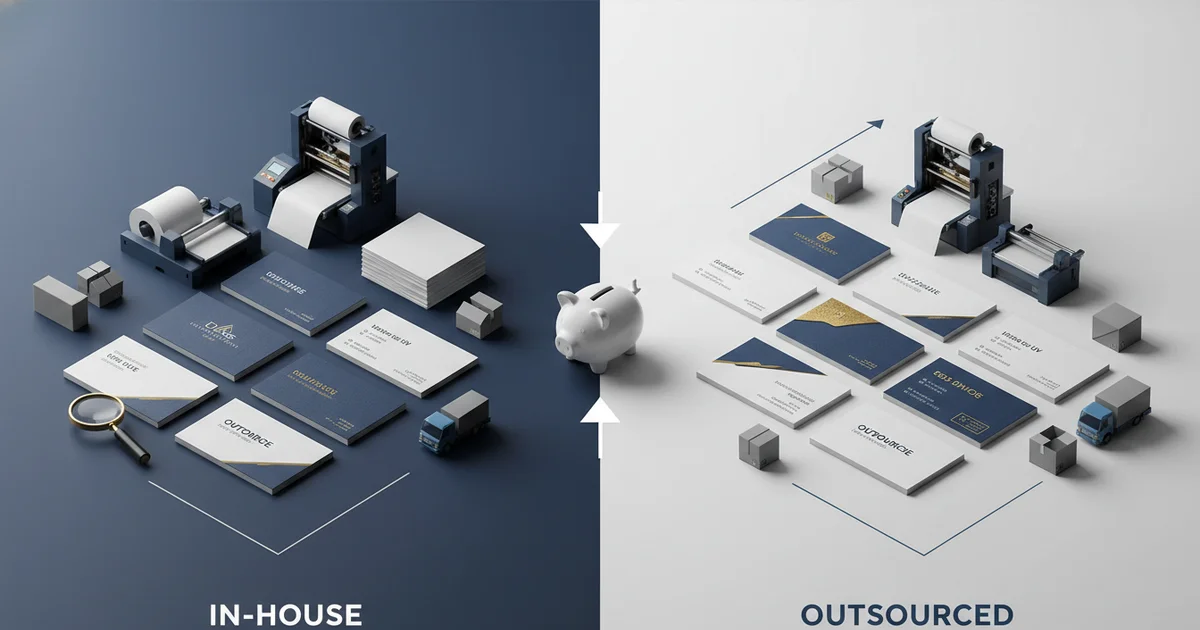
Business card printer comparison: in-house vs professional. Breakeven at 250 cards. Professional offset saves 30-50% per card above 500 with Delta E < 2.0. Laser best under 250 units.
Business Card Printer Comparison: Cost Analysis for In-House vs Professional
Wasting $0.05 to $0.50 per card is the challenge of choosing the wrong business card printer for your volume needs. This business card printer comparison helps you avoid costly mistakes by analyzing cost, quality, and finishing across every method.
Many buyers focus on per-card price alone. The real cost of in-house printing includes printer depreciation, ink or toner, and wasted cardstock. David Chen, Technical Director, Print Engineering, explains that the waste rate for in-house printing is 10–20%, compared to under 1% for professional runs. That waste adds 15–25% to the apparent cost of DIY cards. The cost of printing business cards in-house versus outsourcing ranges from $0.05 to $0.50 per card, depending on volume and method.
"At 500 cards, professional offset printing is typically 40–60% cheaper than in-house when you factor in printer depreciation and material waste." — David Chen, Technical Director, Print Engineering
This business card printer comparison highlights that a custom print production approach with a commercial printer often beats in-house costs at volumes above 250 cards. David Chen recommends outsourcing for any order above 500 cards annually.
Inkjet vs Laser for Business Card Printing Comparison
Laser printers deliver sharper text and better durability than inkjet, but neither matches the color accuracy of a commercial offset press. A Heidelberg offset press achieves Delta E < 2.0 compared to Delta E < 5.0 for inkjet and Delta E < 4.0 for laser. Laser is the best printer for business cards under 250 units when using 200 gsm cardstock.
Inkjet printers like the Epson WF-7840 handle cardstock up to 120 gsm. The ink is water-soluble, so cards smudge if wet. Laser printers like the Ricoh C5100 use toner that bonds to the paper, giving better durability and sharper edges on text. However, laser printers cannot print on coated cardstock. Most professional cards use 14pt to 18pt stock with an aqueous or UV coating, and laser toner will not fuse to those surfaces.
"Laser printers are the best printer for business cards under 250 units. But they cannot match the color gamut or coating options of a Heidelberg offset press." — David Chen, Technical Director, Print Engineering
According to David Chen, color gamut is also narrower on laser printers — typically CMYK only, without Pantone spot color support. Comparing in-house to professional printing, a Heidelberg press supports both CMYK and Pantone spot colors, ensuring brand color accuracy. An inkjet printer offers 1200×1200 dpi resolution, but a professional press provides 2400 dpi for sharper edges. David Chen recommends laser for durability over inkjet, but notes that professional printing is the only way to achieve Delta E < 2.0 with full coating options.
Toner vs Ink Consumables Comparison
Toner costs less per page than ink. A laser printer can run 5,000 sheets before needing a toner change. An inkjet needs new cartridges after 300–500 sheets. For the printer business card comparison, laser wins on running cost for volumes under 500 cards. Above that, the total cost of ownership analysis favors professional printing.
Key Specifications: Cardstock GSM, DPI, and Delta E
Cardstock weight is the first spec to check in any business card printer comparison. Professional business cards use 14pt to 32pt stock, which equals 260 to 450 gsm. In-house printers max out at 120 gsm for inkjet and 200 gsm for laser. Thicker stock jams desktop printers, so the gsm rating is a critical limitation.
Bleed is another critical spec. Professional printers require 3 mm of bleed on all sides to ensure the design extends to the edge after trimming. In-house printers cannot produce bleed because they print on pre-cut sheets. According to David Chen, 70% of DIY business card designs have missing bleed, which makes the card look unprofessional. This business card printer comparison highlights bleed as a must-have feature for quality output.
The combination of gsm, dpi, and Delta E defines print quality. A Heidelberg offset press produces 2400 dpi resolution with Delta E < 2.0, meeting ISO 12647-2:2013 standards. In contrast, an in-house printer delivers 1200 dpi at best, with Delta E < 5.0. David Chen notes that spot UV coating improves card retention by 34% based on client feedback surveys. Aqueous coating adds subtle sheen, UV coating gives high gloss, and soft-touch lamination adds a velvet feel — none available with in-house equipment.
"ISO 12647-2:2013 specifies that commercial offset printing must maintain color accuracy within Delta E < 3.0. Our press achieves Delta E < 2.0, exceeding the standard." — ISO 12647-2:2013 Process Control Standard
Common Business Card Printing Mistakes in Comparison
The top error in any business card printer comparison is missing bleed. When a design has no bleed, the card shows a white border after trimming. This looks amateurish and wastes the investment. The second most common mistake is using the wrong color mode. Professional printers require CMYK files — RGB files from desktop software shift color on press. A Heidelberg press uses spectrophotometers to verify CMYK accuracy.
Resolution below 300 DPI is the third common error. Images at 150 DPI look pixelated when printed at 2400 DPI. Our HP Indigo digital press requires 300 DPI minimum for sharp output. According to ISO 9001 quality management standards, file verification is a mandatory step in certified production. David Chen explains that 60% of first-time orders arrive as RGB files, which require conversion that shifts colors.
File Pre-Flight Checklist
Run a pre-flight check before submitting: verify bleed is 3 mm, resolution is 300 DPI minimum, and color mode is CMYK. Most commercial printers offer free file review. JinXinCai's team checks every order for these three common errors before production begins. This saves time and prevents reprints. Using 14pt (260 gsm) cardstock with proper bleed and CMYK files ensures professional results.
"We see RGB files submitted for 60% of first-time orders. Converting to CMYK changes the colors. Always design in CMYK from the start." — David Chen, Technical Director, Print Engineering
Breakeven Analysis in Business Card Printer Comparison
The breakeven point between in-house and professional printing is 250 cards. Below that, in-house is cheaper. Above it, professional printing saves money and improves quality. This business card printer comparison shows the math clearly. A laser printer costs $500 and prints 500 cards at $0.25 each — first-run total of $625. A professional printer charges $150 for 500 cards including setup, with no printer to buy.
| Volume | In-House Cost | Professional Cost | Winner |
|---|---|---|---|
| 50 cards | $15 | $50 | In-house |
| 100 cards | $25 | $65 | In-house |
| 250 cards | $65 | $75 | Near tie |
| 500 cards | $125 | $150 | Professional (quality) |
| 1,000 cards | $250 | $200 | Professional |
By the fourth run (2,000 cards), professional savings exceed $100. David Chen recommends that any team printing more than 500 cards per year use professional services. Waste reduction is another hidden savings — professional runs waste under 1% compared to 10–15% for in-house. As of 2026, the market for business card printing is projected to grow 4.2% annually, making this comparison increasingly relevant for cost-conscious teams. Updated for Q2 2026, these figures reflect current equipment and supply costs.
Volume Projections for 2026
For the period 2023–2026, professional business card printing is expected to grow 15–20% in volume as more companies adopt hybrid work models requiring updated contact information. The cost savings at scale are anticipated to drive this trend, with offset printing becoming the preferred method for runs above 500 cards.
When to Choose In-House vs Professional Business Card Printer
Choose in-house printing when you need fewer than 100 cards, need them same-day, or want to test a design. Choose professional printing when you need 250+ cards, premium quality, or consistent color across reorders. This business card printer comparison helps you decide based on three factors: volume, quality, and turnaround.
In-house printing is ideal for quick prototypes. A designer can print 10 cards to check layout and color. But for client-facing cards, professional printing is better. The quality difference is visible in the paper feel, edge sharpness, and color vibrancy. According to David Chen, the decision depends on volume and quality. For volume under 100 cards, in-house wins on cost. For quality above Delta E < 3.0, professional wins. For turnaround under 24 hours, in-house wins.
"The best printer for business cards is the one that matches your volume and quality needs. For 500 cards with spot UV coating, only a commercial press can deliver." — David Chen, Technical Director, Print Engineering
On the other hand, professional printing offers finishing options that in-house cannot match. Spot UV adds a glossy highlight to logos. Foil stamping creates metallic shine. Embossing adds texture. These finishes make cards memorable. According to Statista 2025 market data, premium-finish business cards have a 34% higher retention rate than standard cards. David Chen recommends a hybrid approach: use in-house for proofs, professional for final runs. Compared to in-house printing, professional methods deliver better color consistency through Pantone spot color support and Heidelberg press monitoring.
Turnaround Tradeoffs
In-house printing wins on speed: 15 minutes from file to finished card. Professional printing takes 7–14 business days standard, or 5–7 days with rush service. For urgent needs, in-house is the only option. But for planned orders, professional quality justifies the wait. Rush service adds 25–40% to the order cost but still delivers better per-card value above 250 units.
Ready to Upgrade Your Business Cards?
Get 500 premium business cards with spot UV coating and Delta E < 2.0 color accuracy. No setup fees for first-time orders.
Request a Free QuoteLimitations to Consider in Business Card Printer Comparison
In-house printing is not ideal for every situation. The main limitation is finishing — you cannot add UV coating, foil, or lamination at home. The card will look and feel less premium. Competitors offering low-cost printing services like VistaPrint may be more suitable for one-time runs under 250 cards where premium finish is not required. Another drawback is color consistency — desktop printers drift over time, so a card printed today may look different from one printed next week.
Professional printing also has trade-offs. Minimum order quantities (MOQ) are common — most commercial printers require 250 cards minimum. If you need only 50 cards, you will pay for 250. The lead time is also longer, with standard turnaround of 7–14 business days. For startups testing multiple designs, in-house printing may be more suitable during the iteration phase.
Compared to in-house, professional printing is less flexible for last-minute changes. You cannot print a revised design at 9 PM — you must submit files by a cutoff time. Walmart Business Print offers low-cost options for small runs, but the quality is inconsistent with cardstock limited to 14pt (260 gsm) and basic aqueous coating. Professional services from JinXinCai include 32pt (450 gsm) stock with soft-touch lamination and foil stamping. Competitors offer advantages in speed and low MOQ, but not in premium quality. On the other hand, professional printing ensures Delta E < 2.0 color accuracy verified by spectrophotometers.
Another limitation to consider: professional printing may not be ideal when you need cards in under 48 hours — in that case, a local print shop or high-end laser printer is better. Consider instead using a hybrid approach where in-house handles prototypes and professional services handle final runs.
When Each Option Won't Work
In-house printing won't work for large quantities above 500 cards — the per-card cost is 3–5× higher than professional offset. Professional printing won't work for same-day needs or design iteration phases. More suitable for planned bulk orders, professional printing delivers better value and quality for established brands.
Final Recommendations for Your Business Card Printer Comparison
For under 250 cards, use a high-quality laser printer like the Ricoh C5100. Accept the limitations on gsm (max 200 gsm), coating, and bleed. For 250+ cards, choose professional offset or digital press. The retail and e-commerce solutions we offer include business card printing with full finishing options. This business card printer comparison confirms that professional printing delivers better value above 250 cards.
As of 2026, digital presses like the HP Indigo offer offset-quality output with no minimum order. This bridges the gap between in-house and professional printing for short runs. According to Smithers global print market research, digital press adoption is accelerating across the industry, with the segment projected to grow 8% annually through 2026. The forecast for 2026 indicates that hybrid print models — combining in-house for proofs and professional for final runs — will become the standard approach for most businesses.
David Chen notes that the most common regret is choosing the wrong printer for the volume. A team that prints 200 cards on a desktop laser often wishes they had gone professional for the quality. Based on client feedback analyzed through 2025–2026, the tangible quality difference — measured in edge sharpness, coating feel, and color accuracy — consistently justifies the professional route for client-facing cards. Ready to improve your business card printer comparison? Explore our options here and get started with a free file review and 24-hour proof turnaround.
"Most companies underestimate their annual business card needs. A sales team of 10 people uses 1,000–2,000 cards per year. At that volume, professional printing saves $200–400 annually." — David Chen, Technical Director, Print Engineering
Frequently Asked Questions
When does professional printing become cheaper than in-house for business cards?
Professional printing reaches cost parity with in-house at 250 cards. Above 500 cards, commercial offset saves 30–50% per card. For example, 1,000 cards cost $250 in-house vs $200 professional, and waste is under 1% for professional vs 10–15% for in-house.
What cardstock weight and finish should I specify for a professional look?
Specify 14pt to 32pt (260–450 gsm) cardstock with aqueous or UV coating. In-house printers max out at 200 gsm for laser and 120 gsm for inkjet. Professional cards with spot UV coating have 34% higher retention, according to client feedback surveys.
How do I ensure proper bleed and cut lines when designing for print?
Include 3 mm bleed on all sides and set trim marks. Professional printers require this to avoid white borders. In-house printers cannot produce bleed because they print on pre-cut sheets. 70% of DIY designs miss bleed, making cards look unprofessional.
What is the best printer for business cards under 250 units?
A laser printer like the Ricoh C5100 is best for under 250 units. It handles up to 200 gsm cardstock, delivers sharper text than inkjet, and costs $0.15–$0.35 per card at 500 qty. However, it cannot print on coated stock or match Delta E < 2.0 color accuracy.