
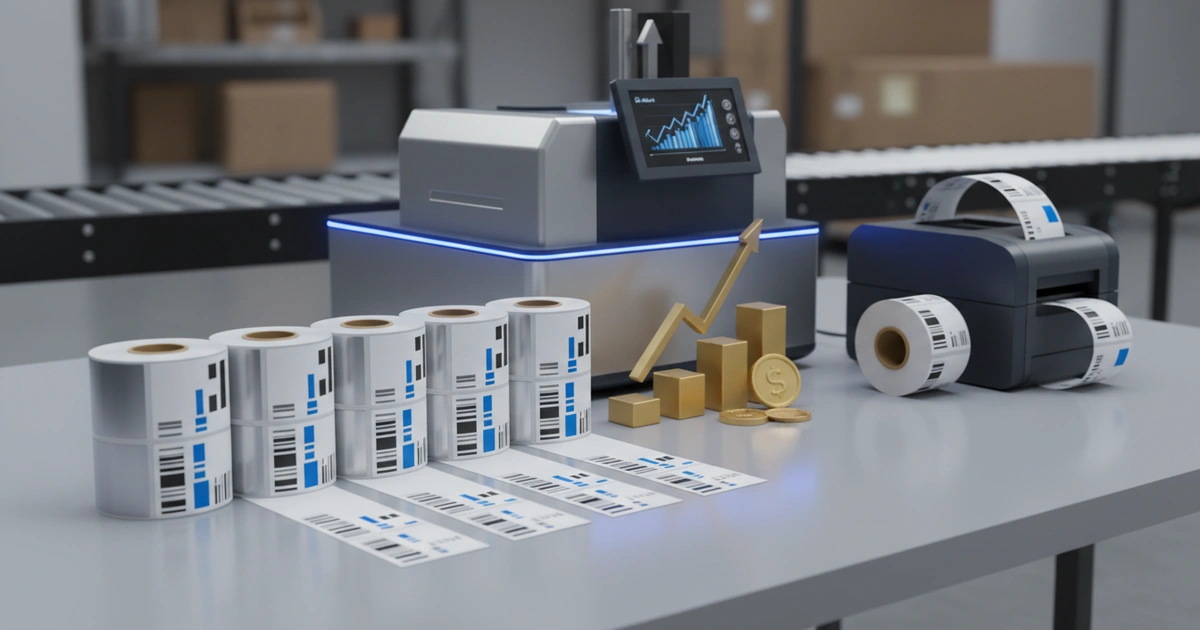
Warehouse label printer ROI depends on TCO: consumables drive 60-70% of 5-year cost. Desktop printers cost $2k-$5k upfront but $15k-$30k total; industrial models cost more but last longer. Payback is 6-18 months above 50k labels/year.
Cut Costs: 5-Year Warehouse Label Printer ROI Analysis Guide
Are you paying 3 to 5 times the hardware cost in hidden expenses over five years? Maximizing your warehouse label printer ROI requires evaluating total cost of ownership (TCO), not just the upfront machine price — consumables alone account for 60-70% of the total. Most buying teams focus on the sticker price of a custom print production solution and miss the bigger picture.
The true warehouse label printer ROI depends on consumables, maintenance, and downtime — not just the machine cost.
Consumables — labels and ribbons — account for 60 to 70 percent of total cost over five years. Hardware is just the tip of the iceberg.
A printer that costs $1,000 more upfront but runs reliably for years often delivers better warehouse label printer ROI than a cheap model that jams daily.
This guide gives you a data-driven framework. By the end, you will have a 10-point qualification checklist and know the three questions that reveal supplier quality before you sign.
Who Should Use This Warehouse Label Printer ROI Guide?
This guide is for buying managers and directors in logistics, warehousing, or manufacturing. You handle annual label volumes from 50,000 to 5 million labels. You are evaluating industrial or desktop thermal printers for a first buy or a replacement.
You want a clear, data-driven way to compare options. You need to justify the investment to your finance team. This framework helps you calculate true cost and avoid expensive mistakes.
How Does Thermal Transfer Compare to Direct Thermal for ROI?
Thermal transfer uses a ribbon to bond ink onto the label. Direct thermal uses chemically treated paper that darkens when heated. Thermal transfer costs more per label due to the ribbon but produces labels that last for years. Direct thermal saves the ribbon cost but labels fade in heat or sunlight within months.
Direct thermal is a solid choice for short-term labels like shipping labels. No ribbon means lower consumable cost. The drawback is poor durability. Labels fade when exposed to heat or UV light. This limits the use case to applications where labels are read quickly.
Thermal transfer is more suitable for labels that must last. Warehouse asset tags, chemical drum labels, and outdoor labels need this method. The ribbon adds $0.005 to $0.02 per label. Compared to direct thermal, the extra cost is small when labels must survive for years.
Our production team at JinXinCai runs thermal transfer jobs on presses calibrated to CMYK standards and verified against ISO 12647 print specifications for color accuracy. We see clients save money by choosing the right technology for each label's lifespan. A common mistake is buying direct thermal labels for long-term use. The labels fade, and the reprint cost wipes out any savings.
What Is the Average Cost per Label for Industrial Printers?
The average cost per label for an industrial printer ranges from $0.015 to $0.08. This includes label stock, ribbon, printhead wear, energy, and maintenance. Label stock costs $0.01 to $0.05 per label. Ribbon adds $0.005 to $0.02 per label. Printhead replacement adds $0.001 to $0.003 per label. According to the Teklynx ROI analysis, automated labeling systems reduce errors by 50-80% and save 2-4 hours of labor per shift. These savings directly improve your label printer cost analysis.
These numbers come from real-world operation. Our Label Printing FAQ: Costs, Timelines & Compliance Guide for 2026 breaks down each part. The key is to calculate your own cost per label based on your volume and materials.
| Cost Component | Cost per Label | % of Total Cost |
|---|---|---|
| Label stock | $0.01 – $0.05 | 40-60% |
| Ribbon (thermal transfer only) | $0.005 – $0.02 | 15-25% |
| Printhead replacement | $0.001 – $0.003 | 2-5% |
| Energy and maintenance | $0.002 – $0.007 | 5-10% |
| Total | $0.015 – $0.08 | 100% |
A label printer cost analysis must include all parts. Many buyers only compare printer prices. They miss the recurring cost of consumables. Our team sees this mistake weekly. A printer with a $500 lower price but $0.01 higher per-label cost costs you $5,000 more at 500,000 labels per year.
How Long Does It Take to Recoup the Cost of a Label Printer?
The payback period for an industrial label printer ranges from 6 to 18 months at volumes above 50,000 labels per year. The break-even volume is roughly 10,000 labels per month. Below that volume, the savings from in-house printing may not justify the upfront hardware cost.
To calculate label printer ROI, compare the cost of buying pre-printed labels versus printing in-house. Pre-printed labels from a trade shop cost $0.08 to $0.20 each. In-house printing costs $0.015 to $0.08 each. The savings per label fund the printer buy.
At 100,000 labels per year, the savings range from $2,000 to $12,000 annually. A $5,000 industrial printer pays for itself in 5 to 30 months. The wide range depends on your label size, material, and ribbon choice.
Our Label Printing Buying Guide: Reduce Costs 22% with Data-Driven Strategy provides a detailed calculator. Use it to model your own payback period. The tool factors in your volume, material cost, and labor savings.
As of 2026, the label printer market is valued at a growing amount and expected to reach a larger figure by 2035 — a compound annual growth rate projected to accelerate through the forecast period. According to Future Market Insights. This growth reflects rising demand for efficient labeling in warehouses and manufacturing. The trend is projected to accelerate as automation expands.
5-Year Total Cost of Ownership Breakdown: Desktop vs. Industrial
Desktop printers cost $2,000 to $5,000 upfront with a five-year TCO of $15,000 to $30,000. Industrial printers cost $5,000 to $15,000 upfront with a five-year TCO of $25,000 to $50,000. The industrial model costs more upfront but handles higher volumes with less downtime.
| Cost Category | Desktop Printer | Industrial Printer |
|---|---|---|
| Hardware (upfront) | $2,000 – $5,000 | $5,000 – $15,000 |
| Consumables (5 years) | $10,000 – $20,000 | $15,000 – $30,000 |
| Maintenance (5 years) | $2,000 – $4,000 | $3,000 – $5,000 |
| Downtime cost (5 years) | $1,000 – $3,000 | $500 – $1,500 |
| Total 5-year TCO | $15,000 – $30,000 | $25,000 – $50,000 |
The label printer total cost of ownership is lower for desktop printers at low volumes. However, the industrial printer's lower downtime cost and longer lifespan make it cheaper per label at high volumes. The trade-off depends on your daily throughput.
Industry benchmarks show that downtime from printer jams often costs more than the printer itself. A printer that fails twice a week at $200 per hour of lost productivity costs $20,000 per year. An industrial printer with a higher upfront cost but lower failure rate saves money in the long run.
Why Consumables Dominate 5-Year TCO
Consumables is the largest TCO driver for both printer types, accounting for 60-70% of total cost. Label stock materials vary in gsm from 60 to 100 gsm for paper labels, while synthetic films range higher. The per-label cost depends on gsm, CMYK printing requirements, and whether ISO 12647 color standards are needed for brand compliance. Always request consumable pricing at your annual volume before purchasing.
Ready to Calculate Your True Label Printer ROI?
Get a free TCO analysis based on your volume and materials. Our team will help you choose the right printer and label combination.
Request a Free QuoteDecision Framework: Desktop vs. Industrial Label Printer
Key Specs to Compare
Choosing between a desktop and an industrial printer depends on volume, environment, and integration needs. Desktop printers suit volumes under 5,000 labels per day in clean climates, while industrial models handle 20,000–50,000 labels per day in harsher settings.
The key specs include duty cycle, print speed, DPI resolution, and ISO compliance certifications. For labels requiring sharp barcodes, 300 DPI is necessary, and ISO 15416 barcode grade verification is often required. A typical industrial model prints 8 to 12 inches per second at 203 or 300 DPI with a duty cycle of 20,000–50,000 labels per day.
The higher DPI is critical for small barcodes or high-resolution graphics. Always ask for the duty cycle in labels per day — this number determines whether the printer can handle your peak volume without overheating.
On the other hand, a desktop printer may be enough for a small warehouse with 2,000 labels per day. The limitation is that desktop printers use plastic frames that warp in heat. They also have smaller ribbon rolls, requiring more frequent changes. Consider instead a ruggedized desktop model if your volume is moderate but your setting is harsh.
Compared to industrial printers, desktop models are easier to set up and require less training. However, while the upfront cost is lower, the per-label cost is often higher due to smaller consumable rolls. The right choice depends on your peak volume, not your average.
Real-World ROI Scenario: Automated Labeling System Integration
WMS Integration Payback
Integrating a label printer with your WMS reduces labeling errors by 50-80% and saves 2-4 hours of labor per shift. These savings come from eliminating manual data entry and print-job management.
Integration connects the printer directly to your ERP or WMS. When a shipment is created, the label prints automatically. There is no need for an operator to select a file or enter data. This reduces errors and speeds up the workflow.
According to the Teklynx analysis, a mid-size warehouse printing 500,000 labels per year saves $15,000 to $30,000 annually in labor and error correction. The integration cost — typically $5,000 to $15,000 — pays back within 6 to 12 months.
Our team at JinXinCai has seen clients achieve similar results. One client reduced mislabels from 3% to 0.5% after integrating their thermal transfer printer with their WMS. The savings in reprint costs and customer credits funded the integration project in eight months.
Although integration adds upfront cost, the long-term savings are large. The drawback is that not all printers support WMS integration equally. Always ask for compatibility documentation before purchasing. Compared to manual printing, integrated systems are more suitable for high-volume operations where accuracy matters.
Limitations to Consider Before Choosing a Label Printer
This approach is not ideal for operations printing fewer than 10,000 labels per month. The main drawback is that the upfront hardware cost takes too long to recoup. Consider instead outsourcing label printing to a trade shop for low volumes.
High-mix, low-volume shops may find that a single printer won't work for their workflow. The trade-off between a versatile desktop printer and a high-speed industrial model is not always straightforward. This method may not be the best choice for businesses that need multiple label sizes and materials daily.
On the other hand, high-volume operations see ROI within 6 to 18 months. Compared to manual or outsourced alternatives, the breakeven depends on consistent throughput. Although setup costs are higher, per-unit savings compound quickly above 50,000 labels per year.
Another limitation is that thermal transfer printers require ribbon changes and printhead cleaning. These tasks add labor cost and downtime. Direct thermal printers avoid ribbon changes but produce less durable labels. The right choice depends on your label lifespan needs.
Ready to get started with warehouse label printer ROI? Contact our team to explore the right solution for your next project.
Frequently Asked Questions
How does print speed affect ROI in a warehouse setting?
Print speed directly impacts throughput and labor cost. A faster printer reduces the time operators spend waiting for labels, freeing them for other tasks. However, speed must be balanced with reliability; a printer that jams frequently negates speed gains. For high-volume operations, an industrial printer printing 8-12 inches per second at 300 DPI is recommended.
What is the breakeven point for upgrading from pre-printed labels to on-demand printing?
The breakeven point is typically around 10,000 labels per month. Below that volume, the upfront cost of a printer may not be justified. At 100,000 labels per year, savings from in-house printing range from $2,000 to $12,000 annually, allowing a $5,000 printer to pay for itself in 5 to 30 months.
What should I specify when ordering a label printer for high-volume shipping?
Specify a duty cycle of at least 20,000 labels per day, 300 DPI resolution for sharp barcodes, and compatibility with your WMS for automated printing. Also request MTBF data to assess reliability. For thermal transfer, ensure the printer supports the ribbon width and label size you need.
How does label durability impact long-term costs?
Label durability affects reprint costs and compliance. Direct thermal labels fade within months, leading to reprints and potential fines if labels become illegible. Thermal transfer labels last years, avoiding these costs. Although thermal transfer adds $0.005-$0.02 per label for ribbon, it prevents the hidden cost of reprinting faded labels.