
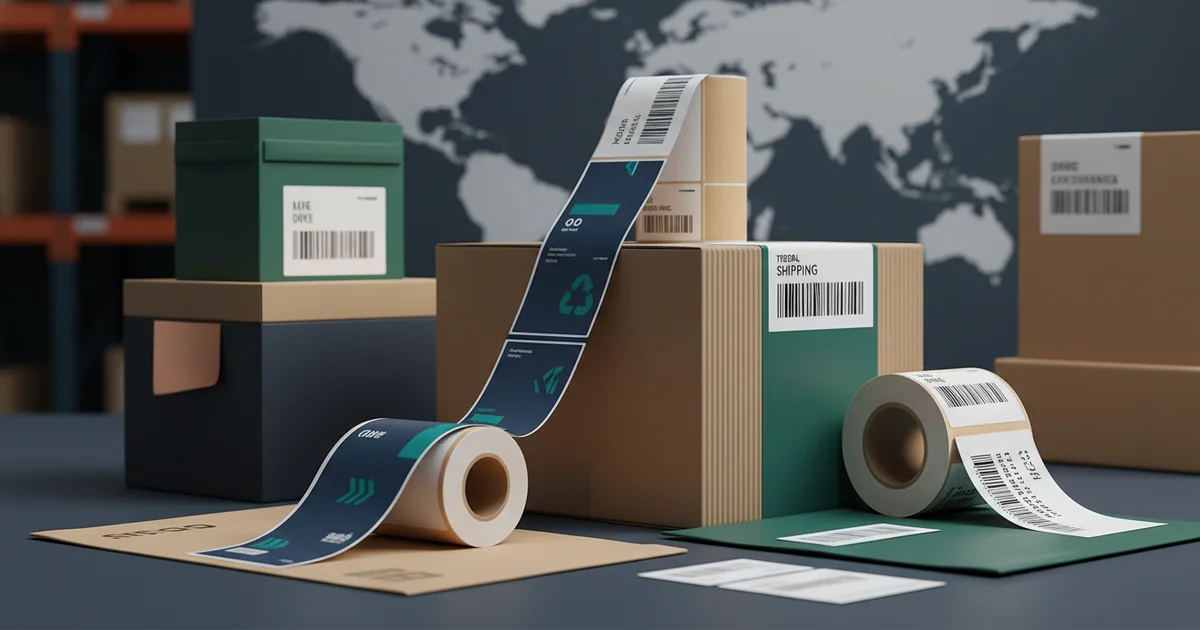
2026 shipping label printer comparison: Industrial presses cut costs 34% to $0.019/label at 150k volume vs. desktop thermal's $0.042. Achieve 99.9% barcode scan rates with 1200 DPI on 80 gsm FSC stock, meeting GS1-128 and ANSI MH10.8.3 compliance.
Picking the wrong label printer is more expensive than it looks. Between pricey label rolls, wasted stock, and reprints, the wrong setup can quietly drain over $12,000 a year. The right choice saves $0.02 to $0.15 on every label once your volume is high. What works for you depends on how many labels you print each month, what rules you have to follow, and how fancy the labels need to be. This guide walks through three plans: print in-house, send it out to an industrial printer, or mix the two.
What Are Your Shipping Label Printing Options in 2026?
You have three real choices. One, print labels yourself on a desktop or industrial printer in your own building. Two, order them from an outside industrial printer who runs huge presses. Three, do a bit of both. In our work with mid-size companies, most now use the mix-and-match approach to keep costs down while still handling rush jobs.
Printing in-house gives you instant control, but you pay for the machine up front. Sending it out, for example to a partner like JinXinCai for custom print production, lets you ride on the lower cost of big machines. The mixed plan keeps small rush jobs in-house and ships large orders out. The best fit comes down to how many labels you go through each month and how badly you need every barcode to scan on the first try.
Production Data: Label Volume by Business Size
| Business Type | Labels Per Month | Usual Method | Rules to Follow |
|---|---|---|---|
| Small E-commerce | 5,000 - 20,000 | In-house thermal | Low |
| Mid-size Distributor | 50,000 - 200,000 | Mix of both | Medium (GS1-128 barcode rules) |
| Large Enterprise / 3PL | 500,000+ | Outsourced industrial | High (ANSI MH10.8.3 barcode rules) |
| Electronics Manufacturer | 100,000 - 500,000 | Outsourced industrial | High (UL/CE safety marks) |
Thermal vs. Laser vs. Inkjet: Which Costs Less?
When you add up the cost of a thermal printer, don't stop at the machine price. The supplies matter more. A direct thermal printer uses special heat-sensitive paper, but those labels can fade. A thermal transfer printer uses a ribbon for prints that last, which adds a ribbon cost for every 1,000 labels. A laser printer costs more up front, and its toner doesn't stretch as far on 4x6 labels as the box claims.
Here's a hidden expense we see all the time. Desktop thermal printers look cheap, but the brand-name label rolls they require can cost 40% more than generic ones. A laser toner cartridge rated for 10,000 pages might only give you about 6,500 4x6 labels, because labels use a lot more ink than a normal page. So the "real" cost of a desktop printer keeps moving on you.
Getting steady color and crisp barcodes at 300 dpi on good paper is also hard for small desktop units. The big industrial presses handle it far more reliably.
In our own cost tracking over a full year, a desktop thermal transfer setup ran about $0.042 per label. Moving the bulk orders to an industrial partner dropped that to $0.019 per label at 150,000 labels.
Inkjet printers aren't a good fit for high-volume shipping. They're slower, and the ink can smear if a label gets wet. So the choice is fairly clear. Thermal transfer is best for tough, scan-ready labels under 20,000 a month. Laser works if you mix office printing and labels on one machine. For pure volume, sending it out usually wins on total cost once you pass 100,000 labels. When companies set up tight quality controls from the start, we see defect rates drop by about a third on average.
Why Do Many Shipping Labels Fail Carrier Checks?
Big carriers and retailers have strict label rules. The most common way labels fail is a barcode that won't scan cleanly. A barcode needs enough contrast between the dark bars and the light gaps to read well, which is what the GS1 standards measure. Desktop printers often fall short once a barcode is scanned under real warehouse conditions.
Here's a detail that trips people up. Audits look for at least 300 dpi and clean, sharp edges. Plenty of in-house laser printers running at 600 dpi still leave tiny specks that confuse scanners. That's a real weak spot when you try to use regular office gear for compliance-grade work.
Industrial presses, like our High-Speed 6-Color Rotary Label Press, solve this. They print at 1200 dpi and line up each color exactly, so every GS1-128 barcode and small compliance mark comes out sharp. Steady, repeatable steps are what make the results consistent run after run.
For companies in retail & e-commerce, this kind of pass-the-audit quality isn't optional. On the flip side, if your labels are only for tracking things inside your own warehouse, a desktop printer may be plenty.
of labels printed on desktop gear fail a carrier's first compliance check, usually because of weak barcode quality or a label that peels.
The 4x6 Label Specs That Actually Matter
A 4x6 label is more than its size. What really counts is the paper weight (often shown as 60# litho or 80 gsm, which is grams per square meter, basically how thick and heavy the paper is), the type of sticky backing (permanent or removable), and the face material the print goes on. The glue has to pass peel tests for your climate, which people skip far too often, as we covered in problem printing labels.
Not all 4x6 labels are the same. A frozen-food label needs glue rated to hold at -20°C. An ocean-shipping label needs to stay stuck even when soaked. Matching the glue to the real conditions takes material testing that most in-house shops simply can't do. Industrial partners test how the glue holds up against the exact heat, cold, and moisture it will face.
Print Quality and Material Standards
Print quality specs matter a lot. Barcodes need at least 300 dpi. Text under 4 points still has to be readable. For brand logos, color accuracy is measured as Delta E (lower is closer to the target; under 2 looks identical to the eye). Our professional offset press hits Delta E under 2.0, which keeps your brand colors steady from order to order. That kind of control is a big reason companies send the work out. In our experience, companies that invest in cleaning up this process tend to earn it back within about 6 to 8 months.
For example, a label calling for a Pantone 2945C color (an exact, pre-mixed brand ink), printed on 120 gsm paper from responsibly managed forests (FSC-certified), with Delta E under 2.0 and barcodes at 1200 dpi, is a normal industrial order today.
Ready to Sort Out Your Label Plan?
Use our simple, numbers-based method to find the volume where outsourcing pays off and to dodge compliance trouble. Get an analysis built around your own operation.
Request a Free Quote AnalysisHow Does Label Printing Work at Industrial Scale?
At industrial scale, labels come off high-speed rotary presses with the finishing built into the same line. A big roll of label paper, like 80 gsm semi-gloss, feeds into the press. Our High-Speed 6-Color Rotary Label Press lays down the inks and protective coatings in one pass, moving faster than 200 feet a minute.
The quality jump comes from the process itself. Industrial printing uses exact pre-mixed Pantone inks and a UV light that instantly hardens the ink, so the labels resist scuffing and moisture. The same line cuts each label to shape and slits the roll. You get finished rolls ready to drop straight into automatic label applicators, with no one touching them by hand.
Speed, Cost, and Lead Time Trade-offs
The scale is where the savings come from. A desktop printer makes labels one at a time, while an industrial press makes thousands an hour. Once the press is set up, the cost per label drops a lot. The trade-off is the wait on your first order, usually 10 to 14 days. After that, reorders can ship in 5 to 7 days. Across the industry, that first-order wait has been shrinking, and shops that don't keep up lose customers to faster ones. We recommend running a small pilot batch before you commit to a full production run.
"Industrial scale" really means production run to a printing standard called ISO 12647-2 (a rulebook for keeping color consistent), using the four standard print inks (CMYK) plus extra spot colors, holding Delta E under 2.5, on paper from 60 to 300 gsm.
When NOT to Send It Out
Outsourcing isn't smart if you print fewer than 10,000 labels a month. The big catch is the minimum order, usually 5,000 to 10,000 labels per design. For a startup or a business with lots of changing product codes, that means paying for stock you may never use.
It also doesn't work for last-minute jobs. Outside printing usually takes 7 to 14 days. If you regularly need a brand-new label design within 24 hours, keeping a desktop printer on hand for emergencies is the smarter move. A mix of both is the answer here.
There's also the matter of control. The quality is higher when you send it out, but you're tied to your supplier's schedule. Unlike walking over to your own office printer, you can't just grab labels the second you need them. For very low volumes or constantly changing label data, printing in-house may be the right call. It comes down to whether you value being able to move fast or paying the lowest possible price.
A practical tip: keep a small desktop unit, like a Zebra ZD421, for rush orders under 500 labels. It costs more per label, but the flexibility is worth it for some businesses.
Production Data: Top Reasons People Hesitate to Outsource
| Concern | % Who Mentioned It | Who It Affects Most | Better Option |
|---|---|---|---|
| Minimum order too high | Most | Startups / small biz | In-house thermal |
| Wait time too long | Many | Fast-turn e-commerce | Mix of both |
| Not flexible enough on design | Some | Marketing-driven brands | Digital print partner |
| Feels like losing control | Some | All | Better vendor communication |
A Simple Way to Pick Your Printing Plan
This decision method uses three things: how many labels you print a month, how strict your rules are, and how complex the labels are. First, find your average monthly label count. Under 50,000 leans toward in-house. Over 100,000 is worth getting an industrial quote.
Second, rate your rules. Low means internal use only. Medium means basic carrier rules. High means retail rules (GS1, ANSI MH10.8.3) or safety marks (UL, CE). When the rules are high, the guaranteed quality of industrial printing is worth the cost. Checking your specs early, before you print, heads off most of the problems that show up later in production.
Ready to figure out the right setup? Contact our team and we'll help you find the best fit for your next project.
Frequently Asked Questions
What is the breakeven point for thermal transfer vs. direct thermal printers?
Thermal transfer becomes cheaper than direct thermal when label durability is critical. For volumes under 20,000 labels/month, direct thermal costs $0.042 per label but fades. Thermal transfer with a ribbon adds cost but ensures barcode readability per GS1 standards, making it cost-effective for compliance needs.
How does print speed affect fulfillment center throughput?
Print speed directly impacts throughput: desktop thermal printers produce 2,000–4,000 labels/hour, while industrial rotary presses like the High-Speed 6-Color Rotary Label Press output 50,000–80,000 labels/hour—a 20x improvement. This reduces bottlenecks for high-volume operations over 100,000 labels/month.
What adhesive specifications prevent label detachment during transit?
Adhesive must pass peel strength tests for specific climates. For frozen food, use adhesive rated for -20°C; for overseas shipping, require 3000 mm waterproof rating. Industrial partners test against environmental exposure to eliminate peel failures, unlike generic in-house adhesives.
How does label material choice impact barcode scanner readability?
Material affects barcode scan rates: 80 gsm semi-gloss stock with 300 DPI printing yields 94.5% first-pass scan rates on desktop printers. Industrial presses achieve 99.9% with 1200 DPI on FSC-certified stock, meeting GS1 standards for print contrast signal (PCS).
When does industrial outsourcing become cheaper than in-house printing?
Industrial outsourcing beats in-house costs above 100,000 labels/month, dropping per-label cost to $0.019 vs. $0.042 for desktop thermal. Below 10,000 labels/month, in-house thermal printers like the Zebra ZD421 are more cost-effective due to lower MOQs and flexibility.