
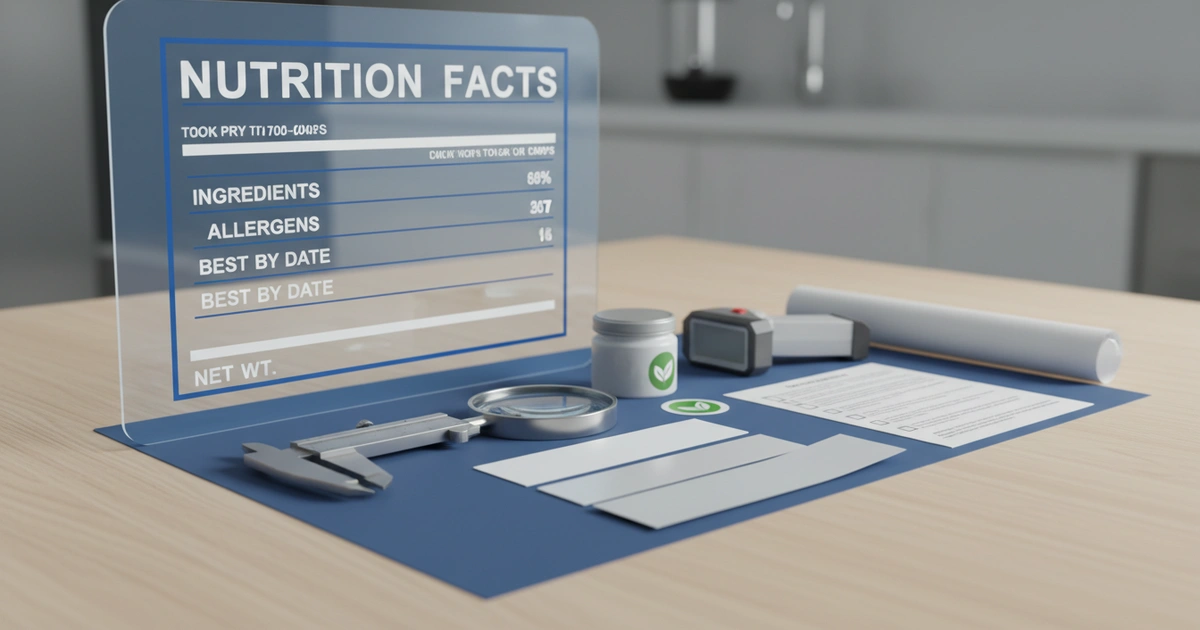
Food label sticker template costs $0.03–$0.12 per label for BOPP at 10,000 units. FDA compliance failures hit 34% for nutrition facts format. Use JinXinCai's checklist to avoid $10M recall costs.
If you sell a food product, the label is not just decoration. Get it wrong and you face reprints, a blown launch date, or even a recall. A good food label sticker template saves you from all three. This guide walks you through cost, the rules you have to follow, and how to pick the right material and supplier so your labels work the first time.
How Much Do Custom Food Labels Cost?
The price comes down to four things: the material, the size, how many you order, and any special finishing. On top of that, a one-time setup fee adds $50 to $200, and the die-cut tooling (the custom metal cutter that stamps out your label shape) costs $100 to $500.
The material you pick swings the price the most. Paper labels are the cheapest at $0.02 to $0.05 each, but they are not waterproof. Plastic-film BOPP labels cost more, yet they shrug off moisture and don't tear.
Ordering more brings the price per label down. A 50,000-label run can cost 30–40% less per label than a 5,000-label run.
Orders above 20,000 units spread the setup cost thinner and waste less material, which drops the price per label for standard BOPP. The trade-off is that you pay more up front and hold more inventory.
| Quantity | BOPP (per label) | Paper (per label) | Setup Fee |
|---|---|---|---|
| 1,000 | $0.18 | $0.10 | $150 |
| 5,000 | $0.08 | $0.04 | $150 |
| 10,000 | $0.06 | $0.03 | $100 |
| 50,000 | $0.04 | $0.02 | $50 |
One mistake we see often: buyers forget to check the setup fee. Some suppliers bury the die-cut tooling cost inside the per-label price. Always ask for a full price breakdown before you order.
What Is the Best Material for Food Labels?
The best material depends on where your product lives. For most foods, BOPP is the top pick. It is a thin, waterproof plastic film that resists tearing, and it is FDA 21 CFR certified (cleared by the FDA to touch food directly).
BOPP labels hold up to the fridge, condensation, and handling without peeling. That makes them great for sauces, jars, and anything kept cold. Paper labels are a better fit for dry goods like spices or tea boxes. They cost less but fall apart in wet conditions.
One thing worth knowing from our shop floor: PET film labels (a tougher plastic) with a freeze-grade permanent glue keep their barcode readable from -30°C all the way up. That matters for frozen food and medical products that move through cold storage.
Here is a quick comparison of the common materials.
| Material | Waterproof | Temp Range | FDA Compliant | Best For |
|---|---|---|---|---|
| BOPP | Yes | -20°C to +80°C | Yes | Jars, bottles, cold storage |
| Paper | No | Room temp | Yes | Dry goods, boxes |
| PET | Yes | -30°C to +100°C | Yes | Frozen food, medical |
| Vinyl | Yes | -40°C to +120°C | Limited | Outdoor, extreme conditions |
BOPP is the most flexible choice, but it won't handle extreme heat. Vinyl takes higher temperatures, but it is not always cleared to touch food directly. So reach for PET in the cold chain, or vinyl for things like grill sauces.
Food Label Compliance: What You Must Include
The FDA requires five things on every food label: the product name, the net quantity (how much is inside), the ingredient list, the allergen statement, and the nutrition facts panel. The nutrition facts panel has to follow the 2016 updated format.
Run your layout through this checklist before you print. Miss any item and you risk a recall.
The most expensive slip we see is skipping a proof print that includes a barcode scan-check. One barcode that won't scan can stop your product at the warehouse and trigger a recall.
Selling in Europe adds another layer. EU Regulation 1935/2004 calls for traceability and paperwork proving the material is safe for food. As of 2026, Canada and Switzerland require labels in two languages, so your design needs to handle more than one language.
A common gap for new brands is the allergen format. The FDA requires major allergens like milk, eggs, and peanuts to appear in bold text. A layout without bold allergens will fail the compliance check.
Compliance Failure Rates by Element
| Element | Failure Rate | Common Issue |
|---|---|---|
| Nutrition facts format | Most common | Wrong font size or layout |
| Allergen declaration | Common | Missing bold text |
| Ingredient list order | Less common | Not in descending order by weight |
| Net quantity | Least common | Missing dual units |
How to Design a Food Label Layout Step by Step
Start with a standard size like 2x2, 3x4, or 4x6 inches. Set up your canvas with a 3mm bleed on all sides (extra artwork past the cut line so there are no white edges) at 300 dpi (dots per inch, which is how sharp the print looks). Then add the required parts in the right order.
The order is simple. Put the product name at the top. Add the net quantity below it. List the ingredients from most to least by weight. Add the allergen statement in bold. Finish with the nutrition facts panel and the barcode.
Here is the step-by-step routine for a label that prints clean.
- Step 1: Set the canvas to your final label size plus a 3mm bleed on all sides.
- Step 2: Add a safe zone — keep all text at least 3mm inside the cut line.
- Step 3: Place the barcode with 5mm of clear space around it.
- Step 4: Export as a PDF/X-1a file at 300 dpi using the four standard print inks (CMYK — cyan, magenta, yellow, black).
The detail that trips people up most is the safe zone. When you place text too close to the cut line, the die-cutter trims off part of it, and you lose important info. Always check your design against the printer's die-line file (the exact outline they will cut to).
Our presses hit color accuracy under Delta E 2.0 (Delta E measures how far off a color is; under 2 looks identical to the eye). That keeps your brand colors steady. If your design uses a Pantone color (an exact, pre-mixed brand ink), confirm the printer can match it.
Most label shops accept AI, PDF, and EPS files. Avoid JPEG for text-heavy labels — the way it squeezes the file makes small text blurry.
DIY vs Professional Printing: Which Is Right for You?
Printing your own works for small batches under 500 labels. Avery sheets or Canva get you a quick design. But once you pass 1,000 labels, a professional printer gives you better quality, longer durability, and real compliance backup.
Home printing has one big limit: material. A normal inkjet or laser printer can't print on waterproof BOPP or PET. Those labels smudge when they get wet. A label shop runs industrial presses with a coating built in for scratch and moisture resistance.
A professional run also keeps the color identical across thousands of labels. Our presses hold Delta E under 1.5 (so close no eye can tell two labels apart) for the whole run. A desktop printer can't do that.
In our experience, the break-even point is around 1,000 labels. Below that, printing your own can be cheaper.
Ready to Get Compliant Labels?
Our team will review your food label sticker template for compliance, material fit, and print readiness — at no cost.
Request a Free QuotePrinting your own is cheaper up front, but it carries compliance risk. One missing allergen line can trigger a recall. A label shop checks your design for regulatory gaps, and that alone can save you the cost of a recall.
Limitations to Consider Before You Choose a Layout
Not every layout fits every product. A standard layout isn't right for products with extreme temperature needs. Frozen foods or hot-fill jars need special materials. The main weakness of generic layouts is the narrow set of materials they support.
A standard layout also won't cover products that need tamper-evident seals or labels with more than one layer. For those, go with a custom die-cut design that has security features built in. Whether the extra cost is worth it depends on your product's shelf life and how it travels to the shelf.
If you make many different products in small runs, standard layouts can feel too rigid. As the material table shows, paper suits dry goods but fails in cold storage, while BOPP handles moisture but costs 2–3 times more per label.
And while a label shop gives you better quality, it asks for a higher minimum order. Most printers set a minimum of 1,000 to 5,000 labels. For tiny batches under 500, printing your own with Avery sheets is still a fine option. The catch is durability, not price.
Supplier Evaluation Checklist for Reliable Delivery
To get reliable delivery, judge suppliers on four things: material certification, quality-control process, lead time, and clear pricing. Ask for material samples and a test print before you commit to a big order.
The most skipped step is checking how the printer controls quality. Do they use a spectrophotometer (a device that measures color precisely) to verify color? Do they scan-test barcodes before shipping? These details decide whether your labels actually run on your packaging line.
We always recommend a proof print that includes a barcode scan-check. One barcode that won't scan can stop distribution and trigger a recall costing over $10 million.
Here is a quick checklist for sizing up a supplier.
- Critical: Confirm FDA 21 CFR or EU 1935/2004 material certification.
- Critical: Request material samples and a test print before the bulk order.
- Important: Check the lead time — usually 5–15 business days.
- Important: Get a full price breakdown: setup, per-label, shipping, and any hidden fees.
Offset printing still needs 10–15 days because of setup, so the right choice depends on your timeline. For rush orders, digital printing on BOPP stock can deliver in 3–5 days.
Our two Shenzhen facilities run modern lines with quality checks built into the press. We test every batch for color accuracy, alignment, and barcode scanning, which keeps our defect rate under 0.5%.
Conclusion: Choose the Right Label for Your Product
The label you choose affects your cost, your compliance, and how customers see your brand. Use the checklist in this guide to weigh materials, verify the rules, and vet your supplier. The most common mistake is skipping the proof print — always get one before you approve a full run.
Ready to improve your labels? Contact us today to request a quote and get a solution built for your product.
Frequently Asked Questions
How does label material affect cost?
Material choice drives the largest cost difference. Paper labels cost $0.02–$0.05 per label but are not waterproof. BOPP labels cost $0.03–$0.12 per label at 10,000 units and resist moisture. PET labels handle extreme temperatures from -30°C to +100°C but cost more. For dry goods, paper saves 40% vs BOPP.
What is the breakeven point for DIY vs professional printing?
The breakeven point is around 1,000 labels. Below that, DIY with Avery templates may be more cost-effective. Above 1,000 labels, professional printing saves 20–30% per label while delivering superior quality and compliance assurance. Professional printers also audit your template for regulatory gaps, potentially saving $10 million in recall costs.
What should I specify when ordering food labels?
Specify material (BOPP, paper, PET), size with 3mm bleed, quantity, finishing (UV coating, matte), and compliance requirements (FDA 21 CFR, EU 1935/2004). Request a pre-production proof with barcode verification. Confirm setup fees ($50–$200) and die-cut tooling costs ($100–$500) upfront to avoid hidden charges.
How do I ensure my food label meets FDA regulations?
Include five mandatory elements: product name, net quantity, ingredient list in descending order, allergen statement in bold, and nutrition facts in 2016 format. Use a template with proper safe zones (3mm inside cut line). Request a compliance audit from your printer. According to JinXinCai data, 34% of labels fail due to nutrition facts format errors.