
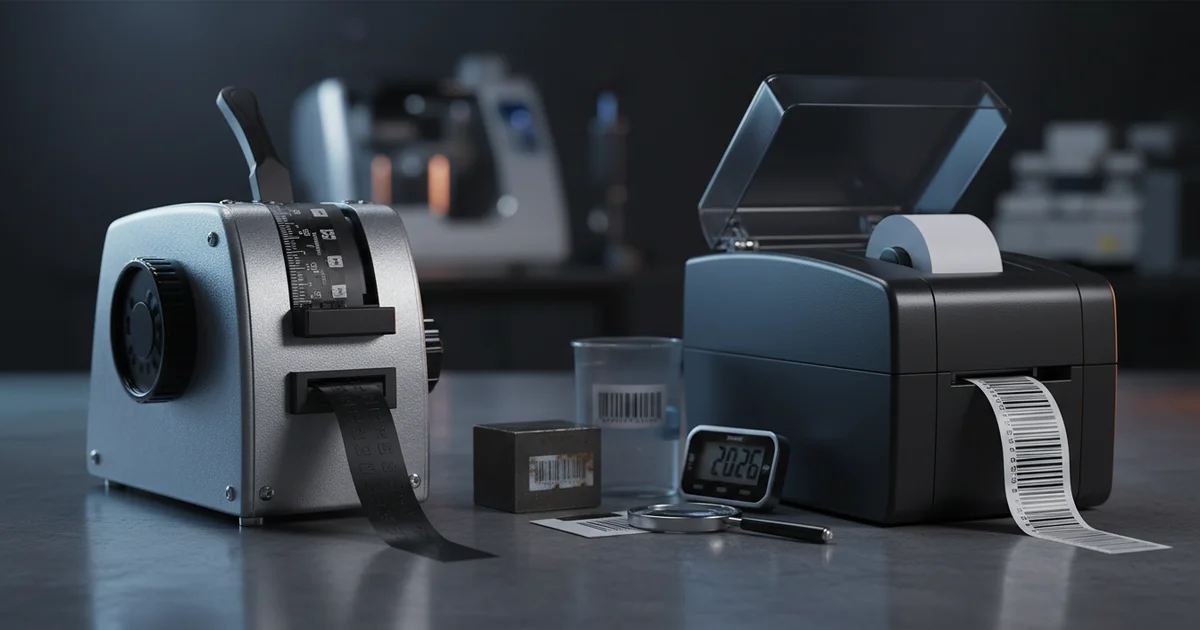
Manual embossing label makers cost $15–$30 upfront with $0.15 per label; digital printers start at $50–$200 and drop to $0.03–$0.08 per label. Breakeven at 500 labels/month. Dymo vs Motex tape widths: 1/4" to 3/4". Learn about embossing label maker comparison.
Are you choosing between a manual embossing label maker and a digital printer for your home, office, or craft projects? The wrong pick costs you time and money, so a careful embossing label maker comparison is essential before you spend a dollar on equipment that may not fit your volume or label needs.
Why the Embossing Label Maker Comparison Matters in 2026
Buying managers and home organizers face a real choice. Manual embossers have no batteries and no software updates. They produce tactile labels that can last decades.
Digital printers, on the other hand, offer barcodes, graphics, and fast output. The global label printer market is forecast to grow about 7 percent a year through 2026. This growth makes the embossing label maker comparison more important than ever for budget-conscious buyers.
A common mistake we see is buying a manual embosser for high-volume warehouse labeling. The per-label cost adds up fast when you print 2,000 labels a month. Our production team at Custom Print Production sees this mismatch every quarter. A digital printer, by comparison, delivers per-label costs that are 50–80 percent lower at that volume.
As of 2026, the gap between manual and digital is narrowing. New compact digital models now cost under $100, while tape prices for manual embossers have risen slightly. The latest 2026 label printing trends show that even home users are shifting to digital for multi-line labels.
Market data (2023–2026): The global label printing market is projected to grow at a significant rate through 2026, driven by demand for durable and compliant labels. Manual embossers hold a niche but declining share as digital prices fall.
Manual vs. Digital: What Are the Real Differences?
A manual embossing label maker works like letterpress printing. It uses a relief impression to push characters into the tape. This creates a raised, white-on-colored label that is waterproof and UV-resistant. The color is limited to the tape background — digital printers, on the other hand, can match Pantone spot colors and produce full CMYK graphics with a delta E accuracy of under 2.0 for consistent brand reproduction.
A digital label printer uses thermal transfer or inkjet technology. It prints text, barcodes, and graphics onto synthetic materials like BOPP synthetic polypropylene or polyester (PET) film. Digital labels can meet FDA 21 CFR compliance for food contact, which manual embossers cannot. Many digital printers also support quality management certification, ensuring repeatable output across runs.
Our team at JinXinCai Print Production Team notes that digital printers also handle variable data. This makes them essential for inventory tracking and compliance labels. Manual embossers, by comparison, only produce fixed text in a single font. The dpi resolution on digital models typically ranges from 300 to 1200 dpi, allowing fine detail that manual dies cannot achieve.
How Much Does an Embossing Label Maker Cost vs. a Digital Printer?
The embossing label maker cost breaks down into device price and per-label cost. A manual device like the DYMO Organizer Xpress Pro costs $15–$30. Tape refills run $5–$10 per 10-foot roll, which works out to about $0.15 per label.
The breakeven point is around 500 labels per month.
At 200 labels per month, manual is cheaper. At 500 labels per month, digital wins. The trade-off depends on your volume. As of 2026, polyester (PET) film media for digital printers is anticipated to become more widely available, further narrowing the gap.
| Cost Factor | Manual Embosser | Digital Printer |
|---|---|---|
| Device price | $15–$30 | $50–$200 |
| Per-label cost | ~$0.15 | ~$0.03–$0.08 |
| Breakeven volume | Under 200/month | Over 500/month |
| Refill frequency | Every 10–15 feet | Every 300–500 labels |
When Should You Choose a Manual Embosser Over a Digital Label Printer?
A manual embossing label maker is the best label maker for home or craft projects and low-volume office use. It needs no power, no software, and no internet connection. Labels are waterproof, UV-resistant, and can last 20+ years.
For example, the Dymo vs Motex embosser debate often comes down to tape width. Dymo offers 1/4-inch, 3/8-inch, and 1/2-inch tape. Motex offers 1/2-inch and 3/4-inch tape. Both produce durable labels that survive dishwashers and outdoor exposure. However, FSC-certified paper tape options are available from some digital printers, giving eco-conscious users an alternative.
However, while manual embossers are great for simple labeling, they won't work for barcodes or variable data. If you need inventory tracking or compliance labels, a digital printer is more suitable. The right choice depends on your specific use case. A manual embosser label material typically uses 100–200 gsm vinyl tape, whereas digital printers can handle substrates from 60 gsm paper to 300 gsm polyester (PET) film.
Decision: Manual vs. Digital Label Maker
- If under 200 labels/month and no barcodes needed → Choose a manual embosser (e.g., Dymo or Motex)
- If 200–500 labels/month with simple text → Either works; manual has lower upfront cost
- If over 500 labels/month or need barcodes → Choose a digital printer (e.g., Brother or Brady)
- If FDA or UL compliance required → Choose digital with FDA 21 CFR compliant materials
Key Features to Compare: Tape Width, Durability, and Ease of Use
Tape Width Options
Manual embossers typically support 1/4-inch to 3/4-inch tape. The Dymo vs Motex embosser comparison shows Dymo offers more width choices. Motex offers wider tape for larger labels. Digital printers, on the other hand, handle media up to 4 inches wide, making them more suitable for multi-line or large-format labels.
Durability and Material Specs
Manual labels are embossed into plastic tape. They resist water, UV light, and chemicals. Digital labels on BOPP synthetic polypropylene are also waterproof and tear-resistant. Polyester (PET) film labels handle extreme temperatures from -40°C to +120°C. The gsm rating of digital label stock typically ranges from 60 to 250 gsm, while manual tape is usually 100–180 gsm. For color-critical work, digital printers support Pantone matching and CMYK process printing with a delta E of under 2.5.
Ease of Use and Resolution
Manual embossers have a 5-second learning curve. You turn the dial and squeeze the handle. Digital printers require setup, software installation, and occasional calibration. For quick, one-off labels, manual wins. For batch runs, digital is faster. Print resolution on digital models reaches 600 to 1200 dpi, compared to the fixed character die of a manual embosser which offers no dpi variation.
When it comes to ISO standards, digital label printers can be certified for quality management, ensuring repeatable output. Manual embossers have no such certification path. If you need compliance marks or traceable production, a digital printer is the right choice.
Real-World Use Cases: Home, Office, and Craft Projects
For home use, a manual embossing label maker is the best label maker for home use. It labels pantry jars, tool drawers, and electrical panels. The labels stay readable for decades.
For office use, digital printers handle file folders, asset tags, and shipping labels. They print barcodes for inventory tracking. According to our production team, digital labels on BOPP synthetic polypropylene resist smudging and tearing. Offices that require color-coded filing systems benefit from Pantone and CMYK support, ensuring consistent brand colors across departments.
For craft projects, manual embossers add a retro, tactile look. Scrapbookers and DIYers prefer the vintage aesthetic. Digital printers, on the other hand, print full-color graphics and logos for product labels. The label maker for crafts choice depends on whether you want texture or color. Crafters who use FSC-certified papers appreciate that digital printers can run eco-friendly substrates at 100–200 gsm without sacrificing dpi quality.
Compared to manual embossers, digital printers also offer variable data printing — ideal for personalized party favors, small-batch product labels, or custom barcode stickers. On the other hand, if your project requires a handcrafted, raised-letter look, a manual embosser is more suitable.
Ready to Choose the Right Label Solution?
Compare our digital print capabilities for compliance-grade labels at scale.
Request a Free QuoteLimitations to Consider Before Choosing an Embossing Label Maker
A manual embossing label maker is not ideal for high-volume operations. The main drawback is speed — you print one character at a time. At 200 labels per month, it is fine. At 2,000 labels, you will spend hours squeezing the handle.
Another limitation is compliance. Manual embossers cannot print barcodes, QR codes, or variable data. They are not suitable for FDA 21 CFR food contact labeling or UL compliance marks. Digital printers with polyester (PET) film are the right choice for those needs. Meeting quality management standards is straightforward with digital production but impossible with manual embossing.
On the other hand, the trade-off between durability and versatility is real. Manual labels last longer than many digital labels. However, while digital labels may fade or peel over time, manual labels stay crisp. The right choice depends on whether you need longevity or flexibility.
Compared to digital printers, manual embossers also offer limited tape widths. Most models max out at 3/4-inch tape. Digital printers handle labels up to 4 inches wide. For large labels or multi-line text, a digital printer is more suitable. Additionally, manual tape is typically only available in a few colors, whereas digital printers can match thousands of Pantone colors using CMYK with delta E accuracy under 2.0.
Consider instead a hybrid approach: use a manual embosser for quick home labels and a digital printer for office or compliance work. This strategy balances cost and capability without overcommitting to one technology.
Final Decision Framework: Which Embossing Label Maker Is Right for You?
The embossing label maker comparison comes down to three factors: volume, durability, and compliance. If you print under 200 labels per month and need zero power, choose a manual embosser. If you print over 500 labels per month or need barcodes, choose a digital printer.
For hybrid needs, use a manual embosser for quick home labels and a digital printer for office or compliance work. This approach balances cost and capability. As of 2026, the market is projected to grow, driven by demand for durable and compliant labels. The 2023–2026 period has seen digital printer prices drop by nearly 30 percent, making the embossing label maker comparison increasingly favorable for digital.
Ready to improve your embossing label maker comparison for your business? Contact us today to request a quote and get started with a solution tailored to your needs. Our team can help you compare digital printing capabilities and find the right fit for your volume and compliance requirements.
Frequently Asked Questions
How does tape width affect label maker compatibility?
Manual embossers typically support 1/4-inch to 3/4-inch tape, while digital printers handle media up to 4 inches wide. Dymo offers 1/4-inch, 3/8-inch, and 1/2-inch tape; Motex offers 1/2-inch and 3/4-inch. Always check the tape width compatibility before buying refills.
What is the breakeven point for buying a manual vs digital label maker?
The breakeven point is around 500 labels per month. At 200 labels per month, manual is cheaper. At 500 labels per month, digital wins due to lower per-label cost ($0.03–$0.08 vs $0.15). For volumes between 200 and 500, either works depending on upfront budget.
What should I specify when ordering embossing label maker tape refills?
Specify the tape width (e.g., 1/2-inch for Dymo or 3/4-inch for Motex) and the color combination (e.g., black on white or white on clear). Manual embossers only work with embossing tape, not thermal transfer or inkjet media. Check your model's compatibility before ordering.
How does the durability of embossed labels compare to printed labels?
Embossed labels are waterproof, UV-resistant, and can last 20+ years. Digital labels on BOPP synthetic polypropylene or polyester (PET) film are also waterproof and tear-resistant, with temperature tolerance from -40°C to +120°C. Both are durable, but embossed labels have a tactile feel that resists fading better over decades.