
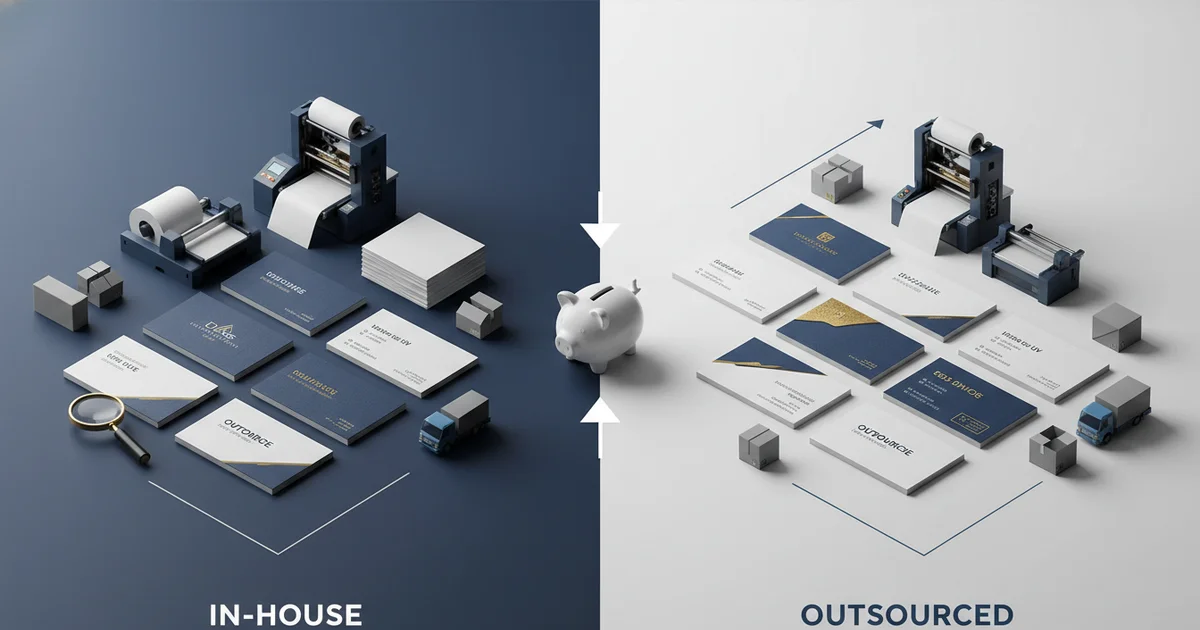
Digital vs offset business card printing: HP Indigo vs Heidelberg. Breakeven at 500–1,000 units. Offset achieves Delta E < 2.0, digital < 3.0. Avoid mistakes with 0.125" bleed and PDF/X-1a. Learn about business card printer comparison.
Why Does Your Business Card Printer Choice Impact Brand Perception and Budget?
Struggling to choose between digital and offset business card printing? This business card printer comparison helps you decide based on order size, quality needs, and budget. The wrong choice can cost thousands in reprints and missed opportunities. Digital printing runs on an HP Indigo digital press with no setup, while offset uses a Heidelberg 6-color press with plates and ink.
The right choice depends on order size, quality needs, and timeline. When you make a business card printer comparison that considers these factors, you save money and protect your brand image. According to UPrinting 2025 data, 72% of people judge a business by the card quality. A bad print job hurts your brand. Our production team notes that digital delivers fast turnaround for small orders, while offset gives the tightest color accuracy and thickest stock. The trade-off is setup cost versus per-unit price.
This initial understanding helps you avoid overpaying. A thorough business card printer comparison that evaluates digital vs offset ensures your cards arrive on time, match your brand colors, and stay within budget.
How Does Digital Printing Compare to Offset for Business Cards?
Digital printing uses toner on an HP Indigo press with no plates, while offset uses wet ink on a Heidelberg press with metal plates. Digital offers 1200×1200 dpi resolution and Delta E < 3.0 color accuracy, while offset offers ±0.1 mm registration and Delta E < 2.0 verified by inline spectrophotometer. A business card printer comparison of these methods reveals clear quality differences.
Digital printing is ideal for short runs and variable data. Our team runs ICC color profiling on every digital job to keep colors consistent. Offset handles a wider substrate range from 80 to 450 gsm. For a run of 100 cards, digital is faster and cheaper. For 5,000 cards, offset delivers a lower per-unit cost. To understand the process differences: digital applies toner electrostatically with no drying time needed, while offset applies wet ink that must dry between colors, adding lead time. Our HP Indigo press runs at 1200 dpi with ±0.2 mm registration, meeting ISO 12647-2 standards for color accuracy. Offset achieves ±0.1 mm registration on our Heidelberg, enabling finer detail in logos and small text.
Pantone color matching is available on both presses. Digital uses the CMYK process to simulate Pantone, while offset can mix actual Pantone inks for spot colors.
What Is the Cost Difference Between Digital and Offset Business Cards?
The cost difference is that digital has no setup fee, so per-unit cost is higher at low volumes. Offset has a setup cost of $50–150, but per-unit cost drops sharply after 500 units. The breakeven point for digital vs offset cost is typically 500–1,000 units per design, as of 2026 pricing.
Cost Breakdown by Quantity
Here is a cost comparison at different volumes based on our production data. Prices vary by stock and finish to consider in your business card printer comparison.
| Quantity | Digital (HP Indigo) | Offset (Heidelberg) |
|---|---|---|
| 100 cards | $25–45 | $80–150 (with setup) |
| 250 cards | $40–70 | $90–160 |
| 500 cards | $65–100 | $100–180 |
| 1,000 cards | $110–160 | $120–200 |
| 5,000 cards | $450–600 | $350–500 |
Our production team notes that setup costs for offset include plate making and press calibration. Digital has zero setup, so it wins on small orders. For large orders, offset per-unit savings compound quickly. Variable data printing adds a surcharge of 5–15% on digital; offset cannot do variable data at all. This is a key factor in any business card printer comparison for teams with many employees.
Get the Right Business Card Printer for Your Project
Tell us your quantity and desired finish, and we will recommend the best method—digital or offset—for your needs.
Request a QuoteWhen Should You Choose Offset Over Digital Printing?
Offset printing is the better choice when your order exceeds 500 units per design, you need premium finishes like foil stamping or embossing, or you require the tightest color accuracy (Delta E < 2.0). Offset is also better for thick stocks like 18pt or 100# gloss cover. Compared to digital, offset suits large runs where brand consistency across thousands of cards is critical.
Offset lithography on our Heidelberg 6-color press delivers registration of ±0.1 mm. This matters for spot UV coating and die cutting. The inline spectrophotometer checks every sheet for color accuracy. However, offset has a minimum order of 500 units. Lead time is 7–14 business days standard. For rush orders, offset takes 5–7 days. Digital is faster at 3–5 days standard and 1–2 days rush.
For a premium card that feels substantial, offset is more suitable. The drawback is that you need to order enough to justify the setup. Our production team confirms that offset gives the thickest stocks and the most durable finish. Alternatively, digital offers faster turnaround and no minimum, but cannot handle the thickest substrates. This business card printer comparison helps you weigh these trade-offs. FSC certified paper options are available for both methods, appealing to eco-conscious clients.
What Are the Key Quality Factors: Card Stock, Finish, and Color Accuracy?
Key quality factors in business card printing include stock weight, finish, and color accuracy. Common options include 14pt, 16pt, 18pt, and 100# gloss cover. Thicker stock feels more premium but costs more per unit. Color accuracy is measured in Delta E, with offset achieving Delta E < 2.0 and digital achieving < 3.0.
Stock Weight and Finish Options
Digital printing handles 80–350 gsm stock, while offset handles 80–450 gsm. For extra thick cards (24pt+), offset is the only option. This is a key factor when you evaluate a business card printer comparison. Finishing options include spot UV coating, foil stamping, embossing, and die cutting. Spot UV requires registration of ±0.3 mm; offset tighter registration makes it better for these finishes. Digital can do spot UV but with a wider tolerance. Standard business card size is 3.5 × 2 inches, which both methods handle precisely. Pantone color matching requires careful profiling; our team uses a spectrophotometer to verify Delta E values.
| Quality Factor | Digital (HP Indigo) | Offset (Heidelberg) |
|---|---|---|
| Resolution | 1200 × 1200 dpi | 2400 dpi equivalent |
| Color accuracy | Delta E < 3.0 | Delta E < 2.0 |
| Registration | ±0.2 mm | ±0.1 mm |
| Substrate range | 80–350 gsm | 80–450 gsm |
| Finish options | UV, soft-touch, matte | UV, foil, emboss, die cut |
Our production team recommends requesting a proof for any job with brand colors. This avoids the common mistake of assuming digital and offset will match exactly. Our ICC profiles account for stock differences, but a proof is essential. Both methods offer FSC certified paper for eco-conscious clients, and CMYK to Pantone conversion is available with proofing.
What Are Common Business Card Printing Mistakes and How to Avoid Them?
Common business card printing mistakes include ignoring bleed, wrong resolution, or bad file formats. To avoid these, set bleed to 0.125 inch, use 300 dpi minimum, export as PDF/X-1a, and include a 0.125 inch safety margin. Always request a digital proof before production. A thorough business card printer comparison also covers file preparation.
How to Avoid Printing Mistakes: 4-Step Checklist
- Set bleed to 0.125 inch. Any less and white edges show after cutting.
- Use 300 dpi minimum. Lower resolution causes blurry text and logos.
- Export as PDF/X-1a. This format embeds fonts and color profiles correctly.
- Include a 0.125 inch safety margin. Keep text and logos inside this zone to avoid being cut off.
A common mistake is using RGB images for print. CMYK is the correct color space for both digital and offset. Our pre-press team converts files, but starting in CMYK avoids surprises. Another mistake is not ordering enough cards. According to Wave Connect 2025 statistics, 10 billion business cards are printed yearly in the US, yet 88% get tossed within a week. Order the right quantity to avoid waste and check your proof carefully for font rendering and color issues.
Our pre-press team reviews every file and will flag bleed or resolution problems before production begins. Using the correct file format is essential; PDF/X-1a supports CMYK and embeds all necessary information.
What Are the Limitations of Digital and Offset Printing?
Each printing method has limitations that affect your choice. Digital printing is not ideal for orders exceeding 1,000 units due to higher per-unit cost, while offset won't work for runs under 500 units because setup costs dominate. Understanding these drawbacks makes your business card printer comparison more realistic.
Digital printing limitations include a narrower substrate range of 80–350 gsm. It also cannot achieve Delta E below 2.5 consistently due to toner limitations. On the other hand, offset limitations include longer lead time and no variable data capability. The setup cost for offset makes small orders uneconomical. Our production team recommends considering alternative methods when your order falls outside these ranges.
Compared to digital, offset is more suitable for large corporate runs but requires planning ahead. Alternatively, digital is better for prototypes, personalized cards, and urgent orders. Consider the carbon footprint differences as well; offset generates more waste plates and ink cleanup, while digital uses less material per setup. If you need thick stock above 400 gsm, offset is required. If you need rapid turnaround under 5 days, digital is required. This balanced business card printer comparison shows both sides.
Another drawback of digital is that white toner is not available on all presses, limiting options for dark stocks. Offset handles dark stocks easily with opaque white underbase. Discuss these trade-offs with our team to select the best approach for your project.
How Do You Choose the Right Business Card Printer for Your Needs?
To choose the right printing method, consider order quantity, desired stock weight, color accuracy needs, and turnaround time. A solid business card printer comparison evaluates all these factors together. Our production team recommends using this decision matrix to guide your choice.
Decision Factors for Your Business Card Printer Comparison
When evaluating digital vs offset, focus on four variables: quantity, stock weight, color accuracy, and timeline. For orders under 500 units, digital is faster and cheaper. For orders over 500 units, offset provides lower per-unit cost. For stock above 350 gsm, offset is required. For Delta E below 2.5, offset delivers better accuracy. For turnaround under 5 days, digital is the only viable option.
Looking ahead, the printing industry is expected to grow in hybrid solutions that combine digital flexibility with offset quality. As of 2026, many large print shops offer both technologies under one roof, making hybrid workflows more accessible. This trend is anticipated to continue through 2027, with more printers adopting inline spectrophotometers for real-time color monitoring on both press types.
Whether you choose digital or offset, verify that your provider follows ISO 12647-2 color standards and offers FSC certified substrates. The business card printer comparison presented here serves as a foundation; your specific project may require a custom evaluation. Contact our team for a project-specific recommendation and request a quote for your next business card order. Reach out to learn more about which method best fits your brand needs.
Our team can help you with file setup, proofing, and selecting the right finish. Get started today by submitting your design and quantity. We will respond with a tailored recommendation and pricing for both digital and offset options.
Frequently Asked Questions
When does offset printing become cheaper than digital for business cards?
Offset printing becomes cheaper than digital at around 500–1,000 units per design. Below that, digital has no setup fee and lower total cost. Above that, offset's per-unit savings offset the $50–150 setup cost. For 5,000 cards, offset costs $350–500 versus digital's $450–600.
What card stock weight is best for a premium business card feel?
For a premium feel, choose 18pt or 100# gloss cover stock. Offset printing handles up to 450 gsm, so it can print on thicker stocks like 24pt. Digital is limited to 350 gsm. Thicker stock costs more per unit but conveys quality.
Can digital printing match Pantone colors accurately?
Digital printing simulates Pantone colors using CMYK process, achieving Delta E < 3.0. Offset can mix actual Pantone spot inks for Delta E < 2.0. For critical brand colors, offset is more accurate. Always request a proof to verify color match.
What is the minimum order quantity for offset business cards?
Offset printing typically requires a minimum order of 500 units per design due to setup costs for plates and press calibration. Digital has no minimum, making it ideal for small runs or prototypes.
How do I avoid common business card printing mistakes?
Set bleed to 0.125 inch, use 300 dpi minimum resolution, export as PDF/X-1a, and include a 0.125 inch safety margin. Always request a digital proof before production. Our pre-press team reviews files for these issues.